Zigbee2MQTT CC2531 Installation on Raspberry Pi 4

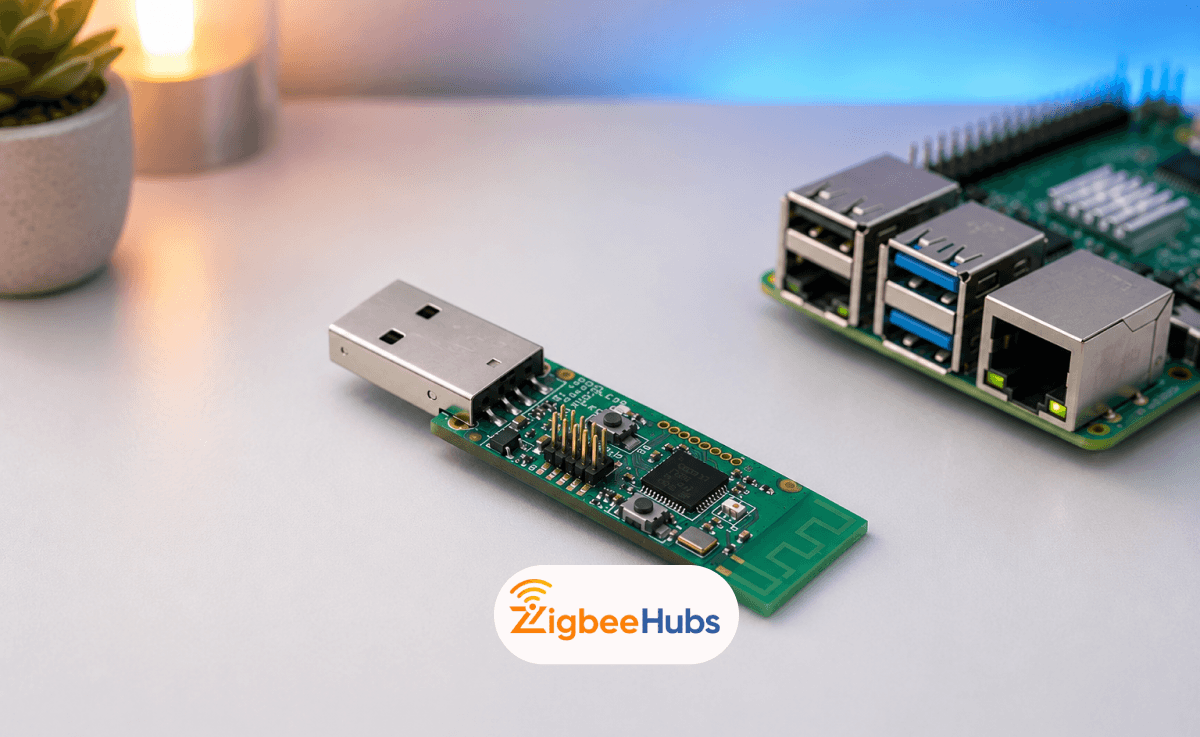
The cc2531 is one of the most affordable ways to build a fully local Zigbee smart home using a Raspberry Pi 4. Combined with Zigbee2MQTT, the dongle lets you connect Zigbee devices from brands like IKEA, Aqara, SONOFF, and Philips Hue without relying on proprietary hubs or cloud services.
Key Takeaways
- The cc2531 usb dongle works well with Zigbee2MQTT for small-to-medium smart home networks.
- Raspberry Pi 4 is an ideal low-power host for Zigbee2MQTT.
- Using a USB extension cable greatly improves Zigbee signal stability.
- The antenna version of the CC2531 offers noticeably better range.
- Zigbee2MQTT gives you local control, faster automations, and broad device compatibility.
- For larger homes, adding Zigbee routers improves network reliability.
What is the CC2531?
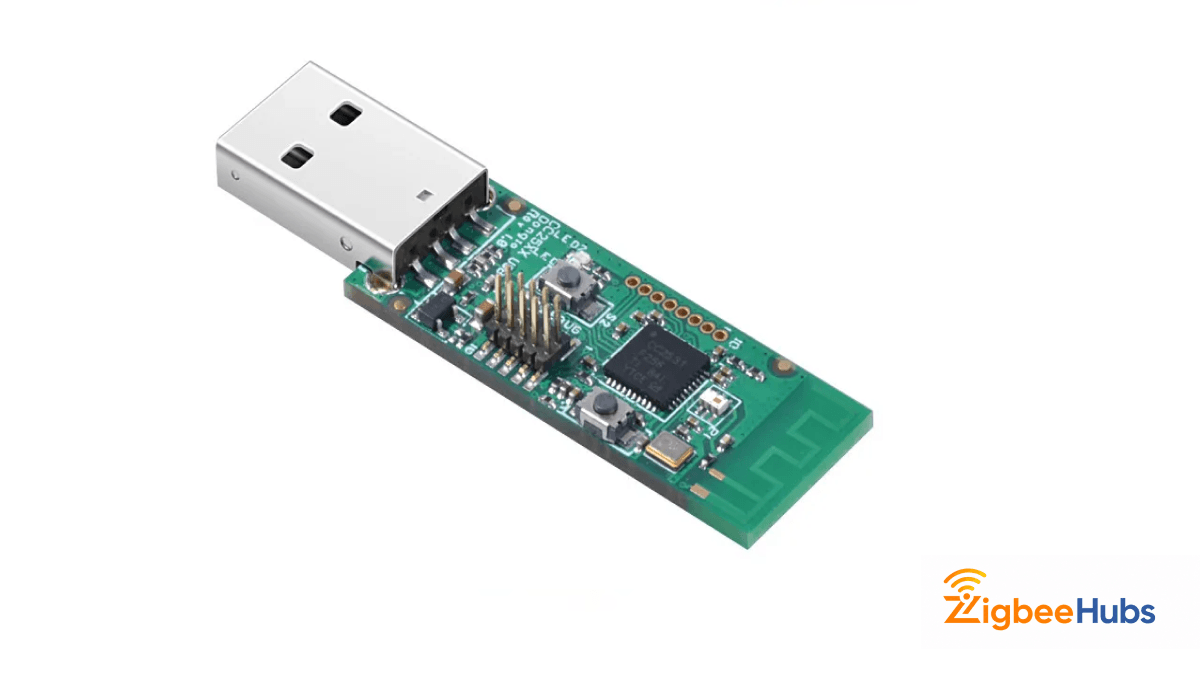
The zigbee cc2531 is a USB-based Zigbee adapter built around the Texas Instruments CC2531 chipset. It acts as a Zigbee coordinator, allowing your Raspberry Pi to communicate with Zigbee smart home devices through Zigbee2MQTT.
In simple terms, it replaces expensive brand-specific hubs with one universal local gateway.
I started using the cc 2531 years ago for testing Zigbee sensors in Home Assistant. Even today, it remains one of the easiest and cheapest entry points into local-first smart home automation.
Why prople Still Use the CC2531?
- Very affordable
- Huge community support
- Works with Zigbee2MQTT
- Excellent for learning Zigbee networking
- Compatible with Raspberry Pi
- Supports local smart home control
That said, it does have limitations. Compared to newer coordinators like CC2652 or EFR32-based adapters, the CC2531 has lower memory and weaker range. For beginners or small apartments though, it still performs surprisingly well.
Why Use Zigbee2MQTT with Raspberry Pi 4?
The combination of zigbee2mqtt cc2531 raspberry pi setups has become popular because it gives you complete control over your smart home.
Instead of sending commands through cloud servers, everything stays local on your network.
Benefits of Zigbee2MQTT
- No vendor lock-in
- Better privacy
- Faster automation response times
- Supports thousands of Zigbee devices
- Works with Home Assistant
- Easy MQTT integration
 Sarah Diyana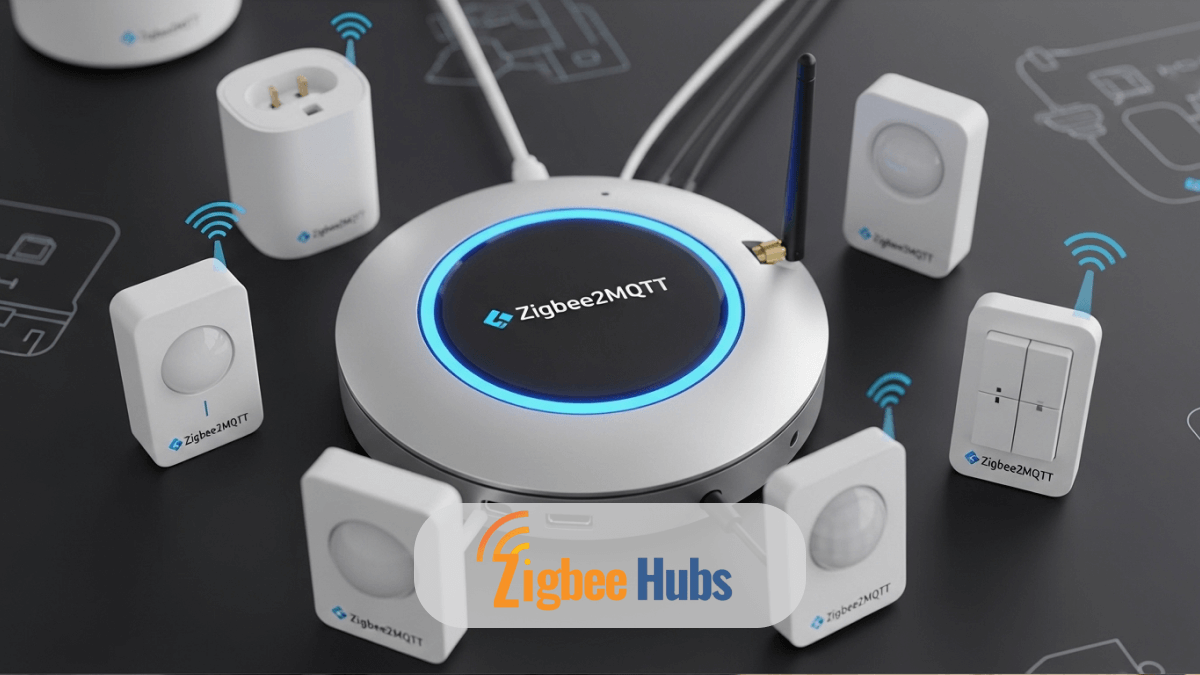
Why Raspberry Pi 4 Works So Well
The Raspberry Pi 4 is powerful enough to run:
- Zigbee2MQTT
- MQTT broker
- Home Assistant
- Node-RED
- Docker containers
all at the same time while consuming very little power.
What are the Best CC2531 Products for Zigbee2MQTT?
To make this guide practical, I tested the following products from the Zigbee Hubs store while building a local Zigbee mesh network.
CC2531 Zigbee2MQTT USB Coordinator / Router
This is the classic entry-level cc2531 usb dongle most people start with.
A compact USB Zigbee coordinator designed for Zigbee2MQTT and Home Assistant setups. It comes pre-flashed and works immediately after configuration.
Key Features
- Pre-flashed firmware
- USB-powered
- Works with Zigbee2MQTT
- Supports coordinator and router firmware
- Very low power usage
Pros
- Extremely affordable.
- Beginner-friendly.
- Easy to configure.
- Great for small apartments.
Cons
- Limited range.
- No external antenna.
- Can struggle with very large Zigbee networks.
Best For
Small smart home setups with under 20–25 devices.
CC2531 + Antenna Zigbee Coordinator
This upgraded version solves one of the biggest problems with the standard CC2531: range.
An enhanced cc2531 zigbee 3.0 coordinator featuring an external antenna for better wireless coverage and improved network stability.
Key Features
- External high-gain antenna
- Better signal penetration
- Improved stability
- Optimized for Zigbee2MQTT
Pros
- Much stronger coverage.
- Better for multi-room homes.
- Improved device reliability.
- Fewer connection drops.
Cons
- Slightly larger.
- Antenna can bend if handled roughly.
Best For
Homes with thick walls, multiple rooms, or longer distances between devices.
Hardware Requirements
Before starting the installation, gather the following components.
| Component | Purpose |
|---|---|
| Raspberry Pi 4 | Runs Zigbee2MQTT |
| CC2531 USB Dongle | Zigbee coordinator |
| MicroSD Card | Raspberry Pi operating system |
| USB Extension Cable | Reduces interference |
| Ethernet or Wi-Fi | Network connectivity |
| Zigbee Devices | Sensors, bulbs, switches |
Pro Tip: Use a USB Extension Cable
This is one of the biggest stability improvements you can make.
USB 3.0 ports create 2.4GHz interference that can hurt Zigbee performance. I always place the dongle at least 1–2 feet away from the Pi using a short USB extension cable.
It dramatically improves pairing reliability and mesh stability.
How to Install Zigbee2MQTT CC2531 on Raspberry Pi 4
Step 1: Install Raspberry Pi OS
Flash Raspberry Pi OS Lite onto your SD card using the Raspberry Pi Imager.
Once booted:
sudo apt update && sudo apt upgrade -y
Then install Docker:
curl -fsSL https://get.docker.com | sh
Add your user to Docker:
sudo usermod -aG docker $USER
Reboot the Pi afterward.
Step 2: Plug In the CC2531 USB Dongle
Insert the cc2531 usb dongle into the Raspberry Pi.
Then run:
/dev/ttyACM0
If you do not see it immediately:
- reconnect the dongle
- try another USB port
- reboot the Pi
Step 3: Install MQTT Broker
Zigbee2MQTT requires MQTT communication.
Install Mosquitto:
sudo apt install mosquitto mosquitto-clients -y
Enable it:
sudo systemctl enable mosquitto
Step 4: Install Zigbee2MQTT
Create the Zigbee2MQTT directory:
mkdir ~/zigbee2mqtt

cd ~/zigbee2mqtt
Clone the repository:
git clone https://github.com/Koenkk/zigbee2mqtt.git .
Install dependencies:
npm ci
Step 5: Configure Zigbee2MQTT
Open the configuration file:
nano data/configuration.yaml
Add the following:
homeassistant: true


mqtt:

  server: mqtt://localhost


serial:

  port: /dev/ttyACM0


frontend:

  port: 8080


permit_join: false
Save the file.
Step 6: Start Zigbee2MQTT
Run:
npm start
If everything works correctly, you should see the coordinator initialize successfully.
Open the Zigbee2MQTT web interface:
http://YOUR_PI_IP:8080
How to Pair Your First Zigbee Device
Once Zigbee2MQTT starts:
I usually start with a smart plug because powered devices strengthen the Zigbee mesh network.
Common CC2531 Problems and Fixes
Why Does My Zigbee Devices Keep Disconnecting?
Usually caused by:
- USB interference
- Weal signal
- Poor mesh routing
Fixes:
- Use a USB extension cable
- Add Zigbee routers
- Move Wi-Fi away from Zigbee channels
Why Does the CC2531 Pairing Fail Repeatedly?
Try:
- Factory resetting the device
- Bringing it closer to the coordinator
- Enabling Permit Join again
Some Aqara sensors can be stubborn during pairing. Keep pressing their pairing button every few seconds during the process.
Why Does the CC2531 Range Feel Weak?
This is normal for the standard version.
Solutions:
- Use the antenna model
- Add powered Zigbee routers
- Avoid placing the coordinator near metal objects
How Many Devices Can the CC2531 Handle?
Realistically:
- 15–25 devices works comfortably
- 30+ devices can become unstable
For larger homes, I recommend newer coordinators like:
The cc2531 zigbee 3.0 ecosystem still works well for learning, testing, and smaller installations.
Should You Still Buy the CC2531 in 2026?
Yes — but only for certain use cases.
Good Reasons to Buy It
- Learning Zigbee
- Budget smart homes
- Small apartments
- DIY experimentation
- Test environments
When You Should Skip It
- Large homes
- Heavy automation setups
- 50+ device networks
- Matter-over-Thread future planning
For beginners though, the cc 2531 remains one of the best low-cost entry points into Zigbee networking.
Key Things I Learned Using the CC2531
After years of testing Zigbee coordinators, these are the biggest lessons:
- A strong mesh matters more than coordinator power
- USB interference causes most “random” Zigbee issues
- Powered devices dramatically improve stability
- Local Zigbee automation feels much faster than cloud hubs
Even with older hardware like the CC2531, proper placement and routing make a huge difference.
Conclusion
The cc2531 usb dongle remains one of the easiest and cheapest ways to build a local Zigbee smart home on a Raspberry Pi 4. While newer coordinators offer better performance, the CC2531 still provides excellent value for beginners, hobbyists, and small smart home networks.
With Zigbee2MQTT, you gain local control, better privacy, faster automations, and freedom from proprietary hubs. For anyone starting their first DIY smart home project, it is still a fantastic learning platform.