Complete Guide to Zigbee Devices 2026
- 1.Key Takeaways
- 2.What is Zigbee and Why is it Popular in Smart Homes?
- 3.What Zigbee Hubs Are Available?
- 4.What Zigbee Lights Are Available?
- 5.What Zigbee Sensors Are Available?
- 6.What Zigbee Switches and Plugs Are Available?
- 7.What Zigbee Climate Control and Other Devices Are Available?
- 8.Which Zigbee Devices Work with Home Assistant, Alexa and Google Home?
- 9.Which Zigbee Devices Should You Buy First?
- 10.How Do Zigbee Devices Compare with ZWave, Matter, Thread and Wi-FI
- 11.Which Zigbee Category is Right for your Home?
- 12.What are the Key Benefits of Zigbee Technology?
- 13.How Can you Build a Strong Zigbee Network?
- 14.Is Zigbee the Right Choice for Your Home?
- 15.Frequently Asked Questions about Zigbee Devices
Quick answer: Zigbee devices include hubs, lights, sensors, switches and thermostats that connect through a Zigbee coordinator instead of your Wi-Fi network. The main categories are hubs (to run the network), lights and switches (which double as mesh repeaters), sensors (motion, door, temperature) and thermostats for climate control.
This guide breaks down what's actually available in each category, which devices we recommend, and which ecosystem (Home Assistant, Alexa, Google Home) each one works with.
Key Takeaways
- Zigbee devices fall into five main categories: hubs, lights, sensors, switches and thermostats.
- Every category needs a hub, gateway or USB coordinator to function.
- Mains-powered devices like bulbs, plugs and switches strengthen the mesh as repeaters.
- Most Zigbee devices work with Home Assistant, and many also support Alexa or Google Home through a compatible hub.
- Zigbee is not suitable for cameras, since video needs more bandwidth than Zigbee provides.
What is Zigbee and Why is it Popular in Smart Homes?
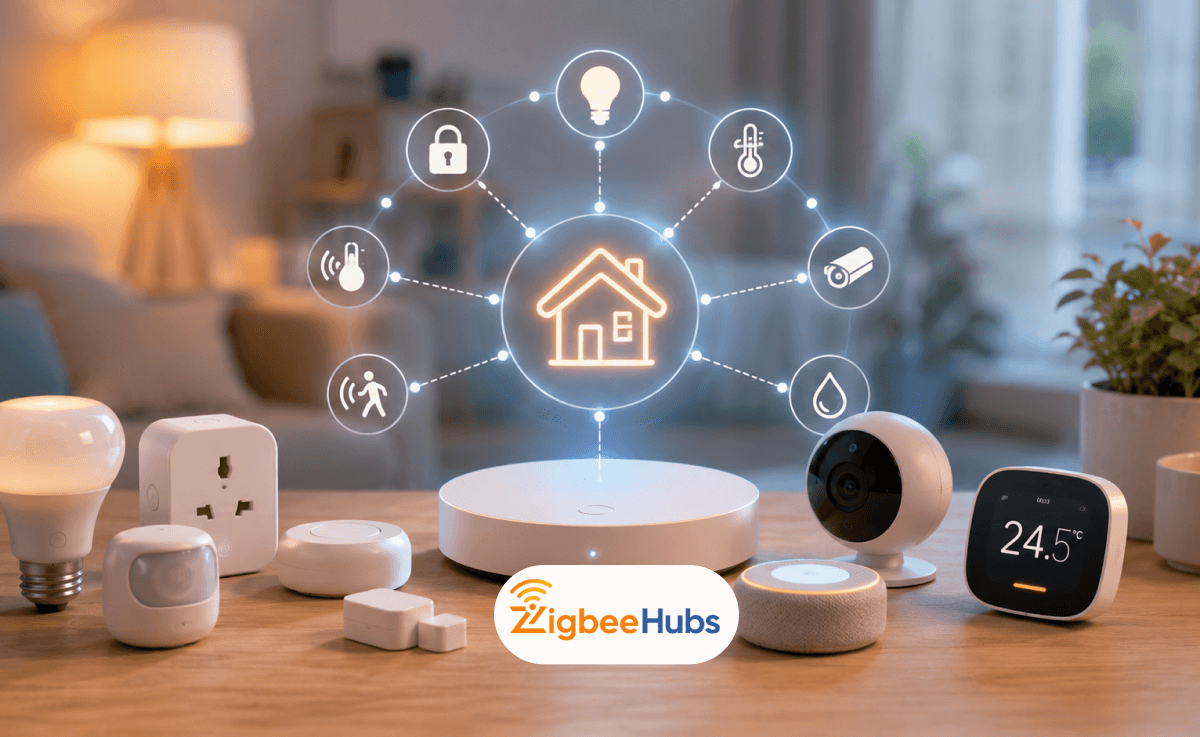
Zigbee is a wireless communication protocol built for smart home devices. Instead of connecting each device directly to your Wi-Fi router, Zigbee devices communicate through a dedicated mesh network.
This makes Zigbee ideal for homes with many smart devices, especially sensors, lights, plugs, switches, locks and thermostats.
- Low Power: Battery-powered Zigbee sensors can often run for months or even years.
- Mesh Networking: Devices help pass signals to each other, improving range across your home.
- Reliable Automation: Zigbee works locally through a hub, reducing dependence on cloud services.
- Less Wi-Fi Congestion: Zigbee creates its own network instead of overloading your router.
How Does Zigbee Work?
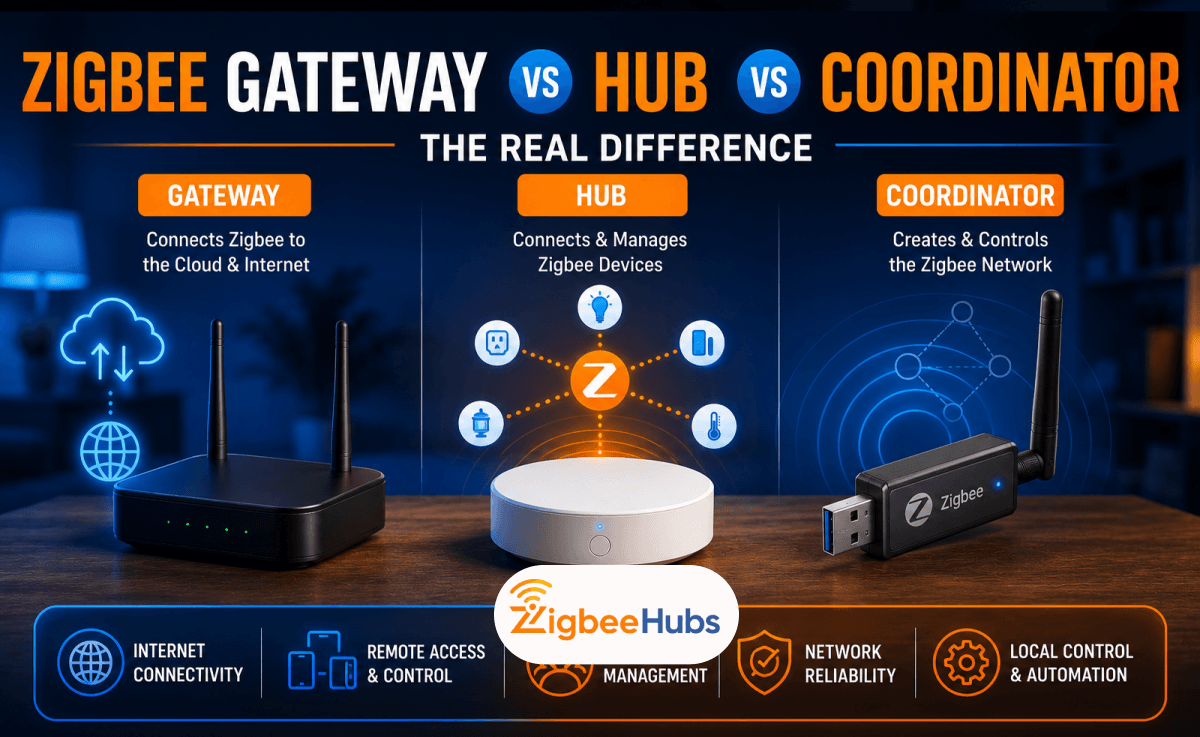
- Coordinator: The main hub that manages the network.
- Routers: Powered devices like smart plugs or bulbs that extend coverage.
- End Devices: Battery-powered sensors that send data back to the network.
Because devices communicate with each other, Zigbee networks usually become stronger as you add more powered devices.
How We Evaluated These Zigbee Device Categories
We evaluated the Zigbee device categories in this guide based on practical smart home requirements: setup difficulty, hub compatibility, mesh reliability, battery life, local control and usefulness in everyday automation.
- Compatibility: Whether the device category works across major ecosystems such as SmartThings, Home Assistant, Alexa, Aqara, Tuya and Zigbee2MQTT.
- Reliability: Whether the device supports stable automation without depending heavily on cloud services.
- Mesh Strength: Whether the device can act as a router or repeater to improve whole-home Zigbee coverage.
- User Value: Whether the device solves a real smart home problem such as lighting, climate control, energy monitoring or security.
What Zigbee Hubs Are Available?
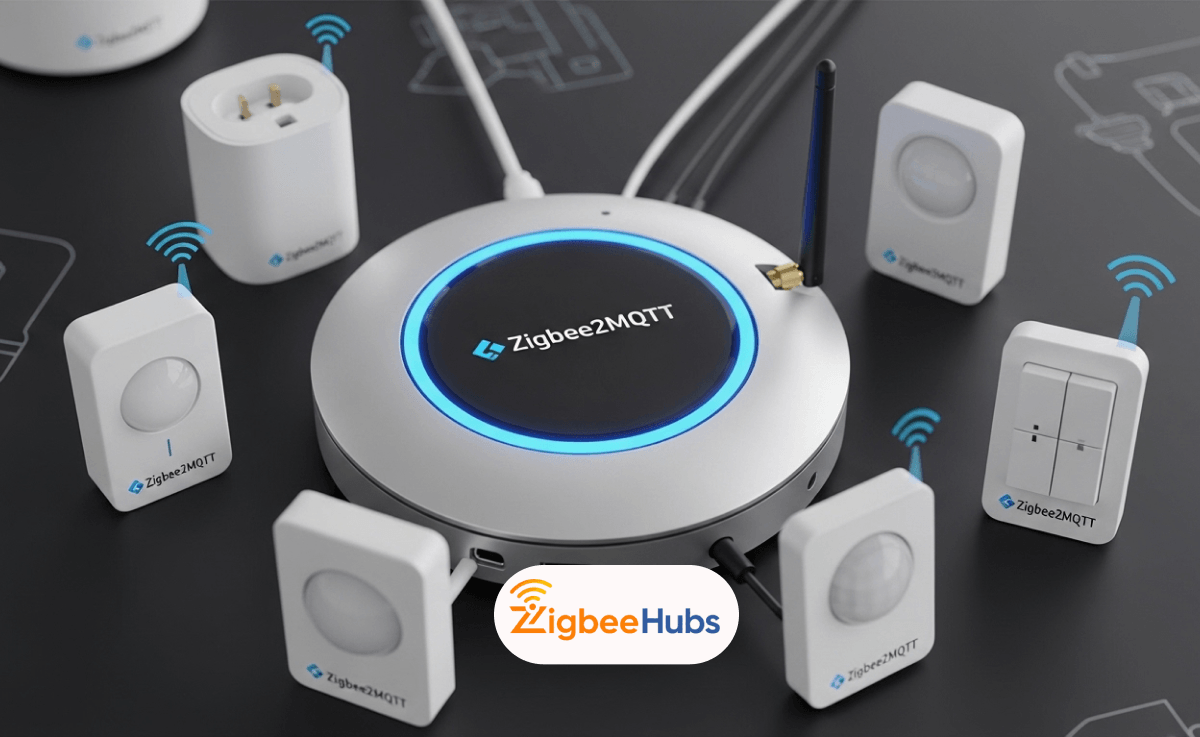
Every Zigbee network requires a coordinator. Your choice of Zigbee bridge determines which devices you can control and how you manage them.
![Hubitat Elevation C-8 Pro [Best Recommended]](https://blog.zigbeehubs.com/content/images/2026/06/hubitat-c-8-pro-3.png)
Hubitat Elevation C-8 Pro [Best Recommended]
⭐Hubitat Elevation C-8 Pro [Best Recommended]
Key Features
- Supports Zigbee, Z-Wave, Matter, and local automation.
- Works with thousands of smart home devices across multiple brands.
- Processes automations locally for faster response times.
- Advanced rule engine for custom automation workflows.
- No mandatory cloud dependency for core smart home functions.
Pros
- Excellent long-term scalability.
- Very strong local automation performance.
- Supports multiple smart home protocols.
- Great for power users and expanding setups.
Cons
- Initial setup can feel advanced for beginners.
- Interface has a learning curve.
Pro Tip: If you plan to use more than 30 Zigbee devices, start with Hubitat early. Moving large Zigbee networks between hubs later can be time-consuming.
If Hubitat doesn't seem like the option for you, you can choose from the below alternatives:
SONOFF Zigbee 3.0 USB Dongle Plus
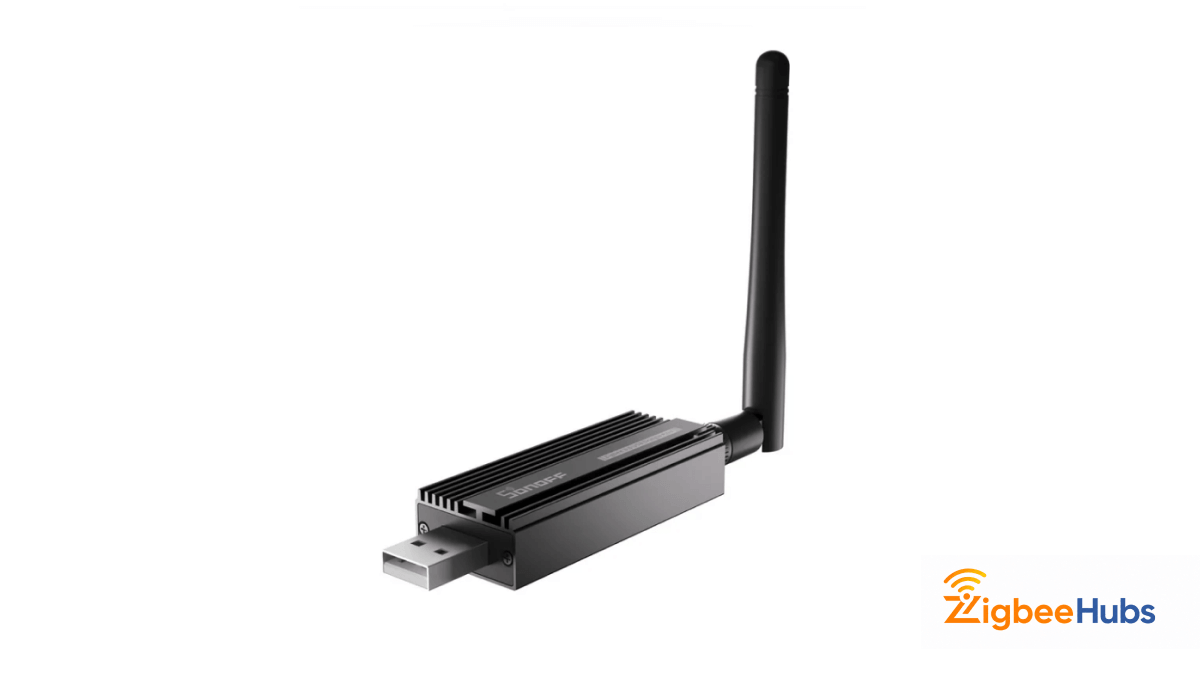
If you already use Home Assistant or want a fully DIY local-first smart home, the SONOFF Zigbee 3.0 USB Dongle Plus in one of the best value Zigbee coordinators available. It uses dedicated Zigbee coordinator hardware, supports Home Assistant and Zigbee2MQTT and gives you full ownership of automation system.
Key Features
- Built on TI CC2652P chipset.
- External antenna for better signal range.
- Pre-flashed coordinator firmware.
- Supports Home Assistant and Zigbee2MQTT.
- Designed for local smart home control.
Pros
- Excellent range and network stability.
- Very affordable for beginners.
- Strong community and firmware support.
- Works across multiple smart home platforms.
Cons
- Requires Home Assistant or compatible platform.
- USB extension cable is strongly recommended.
Pro Tip: Always use a USB extension cable with the SONOFF dongle to reduce Wi-Fi interference and improve Zigbee stability.
Aqara Hub M3
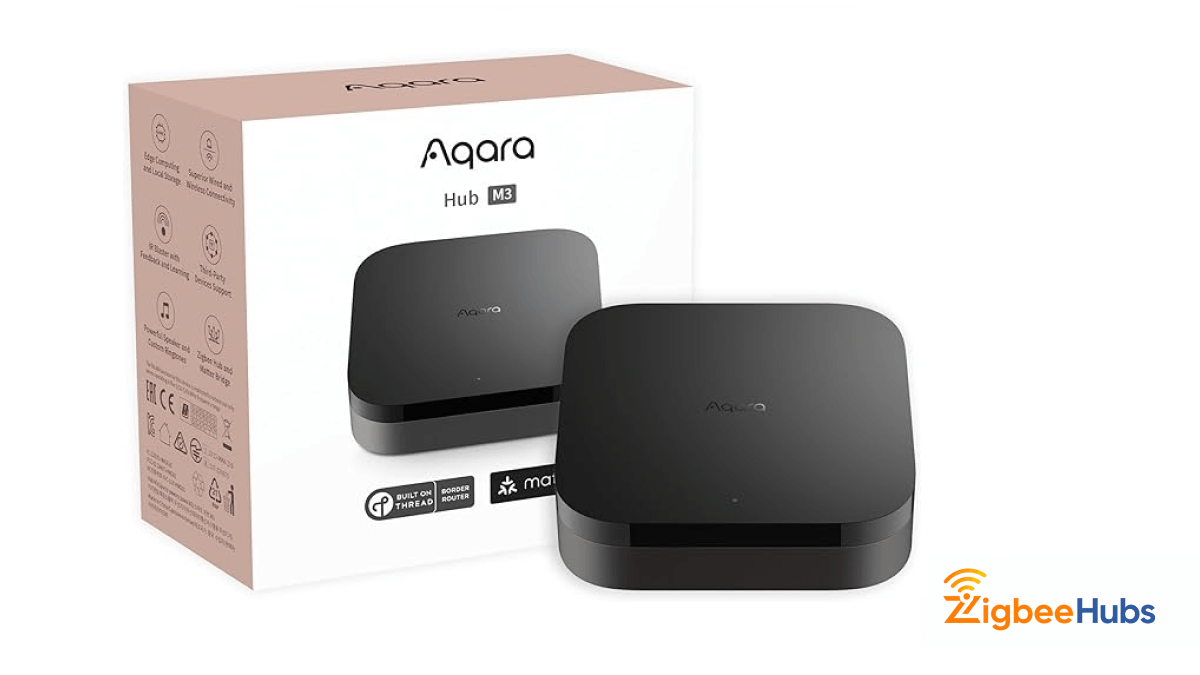
The Aqara Hub M3 is a premium Zigbee hub designed for users who want Zigbee, Matter, Thread and Apple Home support in one polished ecosystem. It works especially well for Apple Home, Google Home and Alexa users who want easier setup with advanced automation features.
Key Features
- Zigbee, Matter, Thread, Bluetooth, and Wi-Fi support.
- Works with Apple Home, Alexa, and Google Home.
- Advanced automation and scene management.
- Built for secure smart home communication.
Pros
- Excellent Apple Home integration.
- Supports multiple modern smart home standards.
- Easy setup for mainstream users.
Cons
- Higher price than USB coordinators.
- Best experience often comes with Aqara ecosystem devices.
Pro Tip: If you are heavily invested in Apple Home or Siri automations, the Aqara Hub M3 is one of the easiest premium Zigbee hubs to deploy.
What Zigbee Lights Are Available?
Smart lighting remains the most popular entry point for home automation. Zigbee lights offer responsive control and serve double duty as mesh network routers.
![Philips Hue Colour Ambiance LED Bulb [Best Recommended]](https://blog.zigbeehubs.com/content/images/2026/06/philips-hue-colour-white-ambience-1.png)
Philips Hue Colour Ambiance LED Bulb [Best Recommended]
⭐Philips Hue Colour Ambiance LED Bulb [Best Recommended]
Key Features
- Full color smart lighting with millions of color options.
- Smooth dimming and scene-based lighting control.
- Zigbee mesh networking for reliable smart home communication.
- Ideal for ambient lighting, routines, and automation scenes.
- Works well in bedrooms, living rooms, and entertainment spaces.
Pros
- Excellent color accuracy and brightness consistency.
- One of the most mature smart lighting ecosystems.
- Great for scenes, routines, and automation.
- Helps strengthen Zigbee mesh coverage.
Cons
- Higher price than entry-level Zigbee bulbs.
- Best experience comes with a compatible Zigbee hub.
Pro Tip: Place Zigbee bulbs in hallways, staircases, or central rooms first. Since powered Zigbee lights act as repeaters, they help strengthen your entire Zigbee mesh network.
If this is not the product for you, you can also check out these alternatives:
MOES Zigbee GU10 Full Colour LED Smart Bulbs
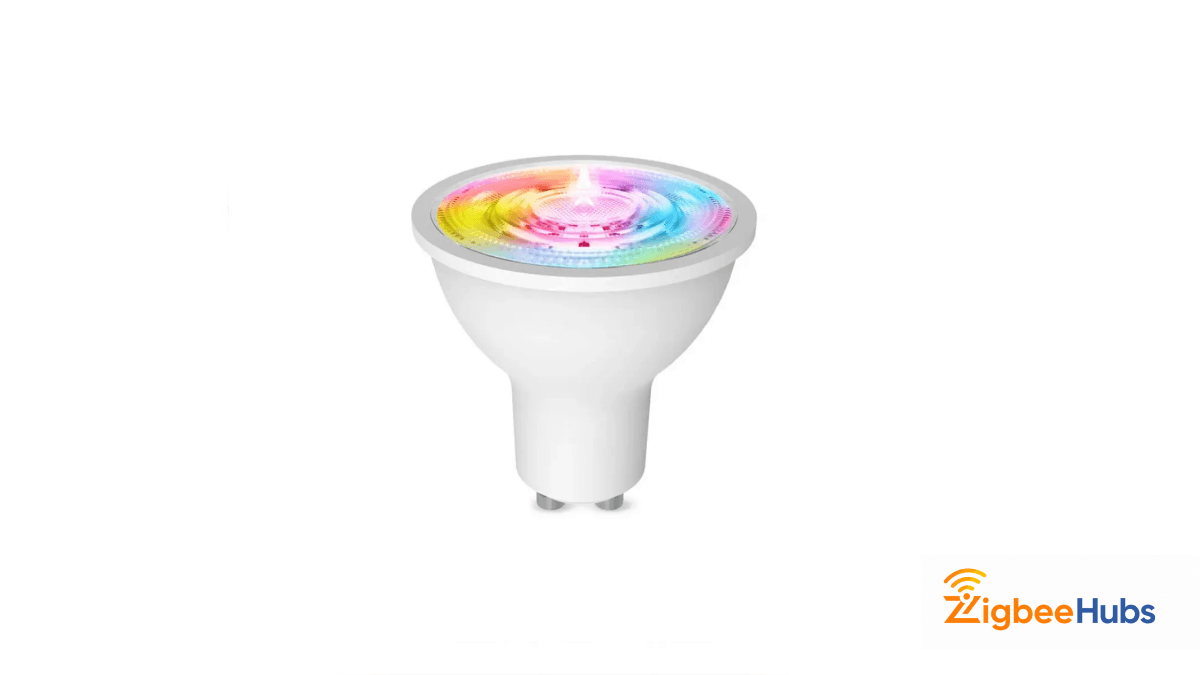
Key Features
- GU10 spotlight design for ceiling and accent lighting.
- Full color smart lighting control.
- Zigbee connectivity for stable automation.
- Ideal for kitchens, hallways, and display lighting.
- Helps expand Zigbee mesh coverage.
Pros
- Perfect for recessed and track lighting.
- Affordable compared with premium brands.
- Good option for multi-bulb installations.
Cons
- GU10 fittings limit fixture compatibility.
- Requires a compatible Zigbee hub.
Pro Tip: GU10 Zigbee bulbs work best in groups. Installing multiple spotlights in one room creates stronger mesh coverage and better lighting scenes.
Sengled Smart Light Bulbs
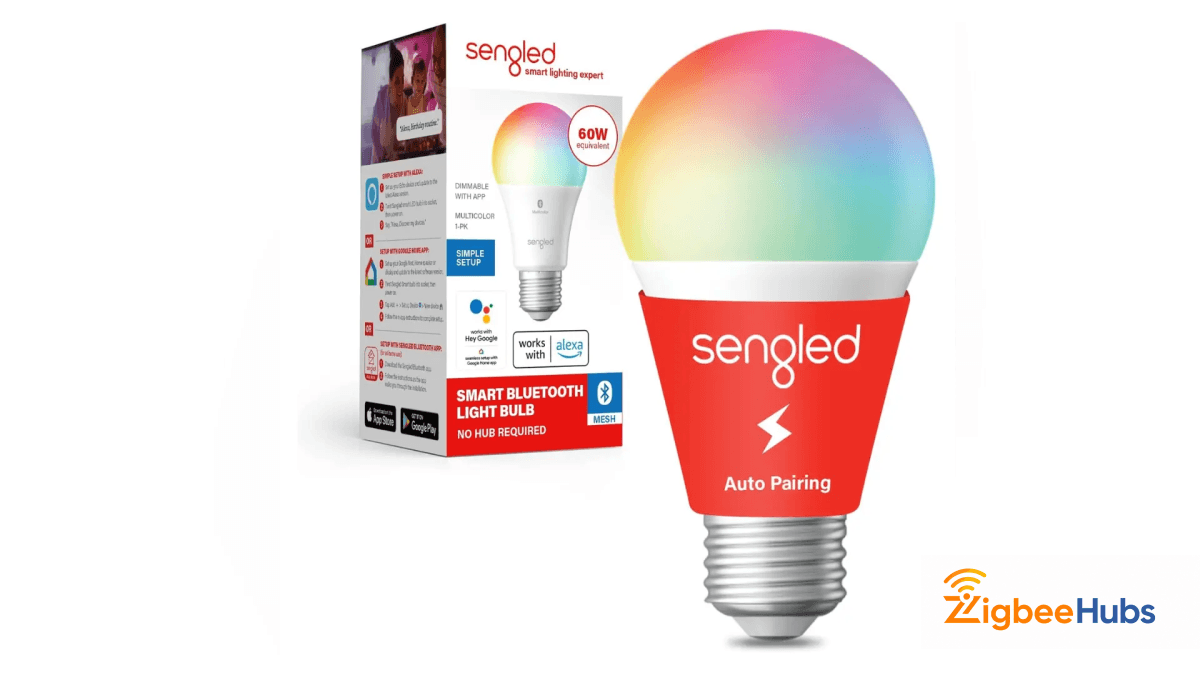
If you want to start with Zigbee smart lighting without spending too much, Sengled Smart Light Bulbs are a strong budget-friendly option. They are ideal for everyday smart lighting, automation schedules and expanding a Zigbee lighting network room by room.
Key Features
- Designed for everyday smart lighting.
- Zigbee-based automation and scheduling.
- Good for bedrooms, offices, and shared spaces.
- Easy way to expand a Zigbee mesh network.
Pros
- Affordable entry into Zigbee lighting.
- Reliable for standard automation routines.
- Good for multi-room setups.
Cons
- Fewer premium lighting features than Hue.
- Requires a Zigbee hub.
Pro Tip: Budget Zigbee bulbs are perfect for hallways, bathrooms, and utility rooms where automation matters more than premium color effects.
What Zigbee Sensors Are Available?
Sensors form the foundation of intelligent automation. A Zigbee sensor detects environmental changes and triggers responses automatically.
![Aqara Motion Sensor P1 [Best Recommended]](https://blog.zigbeehubs.com/content/images/2026/06/aqara-zigbee-motion-sensor-p1.png)
Aqara Motion Sensor P1 [Best Recommended]
⭐Aqara Motion Sensor P1 [Best Recommended]
Key Features
- Fast motion detection for lighting and security automations.
- Long battery life designed for multi-year operation.
- Works with compatible Zigbee hubs and smart home ecosystems.
- Compact design for easy wall, corner, or shelf placement.
- Ideal for hallway, bedroom, entrance, and occupancy detection.
Pros
- Very fast response time.
- Excellent battery efficiency.
- Reliable Zigbee mesh performance.
- Perfect for lighting automations.
Cons
- Requires a compatible Zigbee hub.
- Best advanced features may depend on ecosystem support.
Pro Tip: Place motion sensors about 6–7 feet high and avoid aiming directly at windows to reduce false triggers from sunlight or outdoor movement.
You can also choose from the below alternative sensors:
Aqara Temperature and Humidity Sensor T1
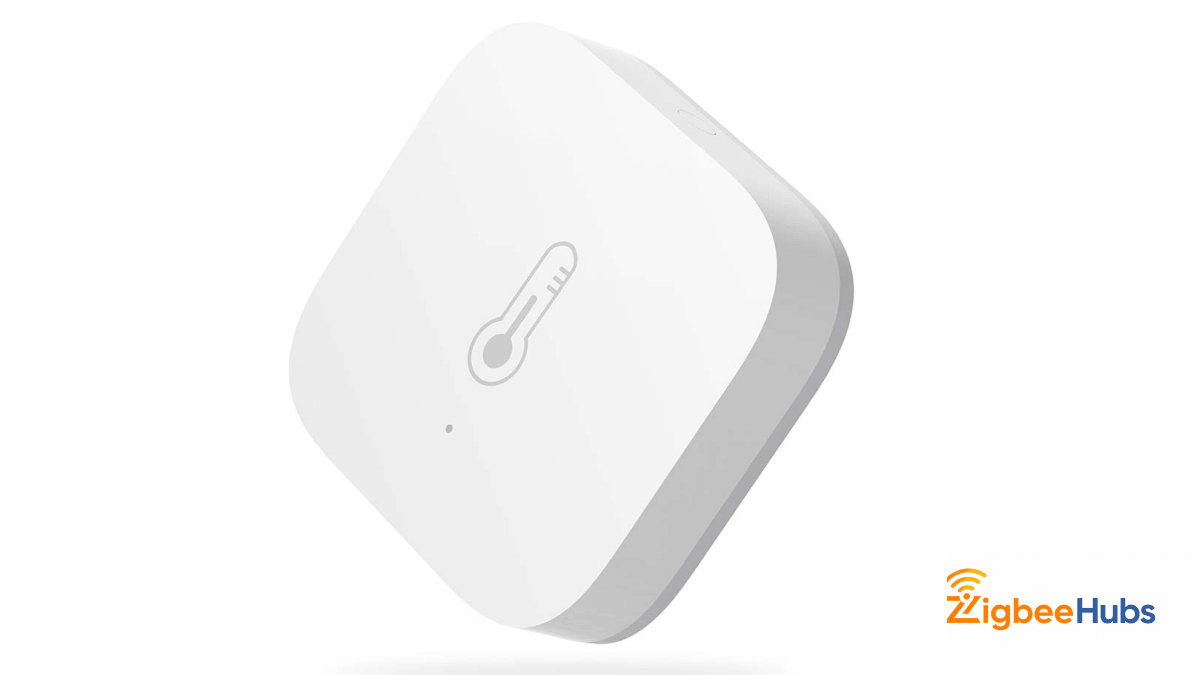
Key Features
- Monitors temperature and humidity levels.
- Designed for climate-based automations.
- Battery-powered Zigbee connectivity.
- Ideal for bedrooms, offices, and nurseries.
- Supports real-time environmental monitoring.
Pros
- Excellent for comfort automation.
- Low-power battery operation.
- Useful in many room types.
- Helps improve energy efficiency.
Cons
- Requires automation setup for best results.
- Placement affects reading accuracy.
Pro Tip: Avoid placing temperature sensors near windows, vents, or electronics if you want accurate environmental readings.
Aqara Door & Window Sensor (T1)
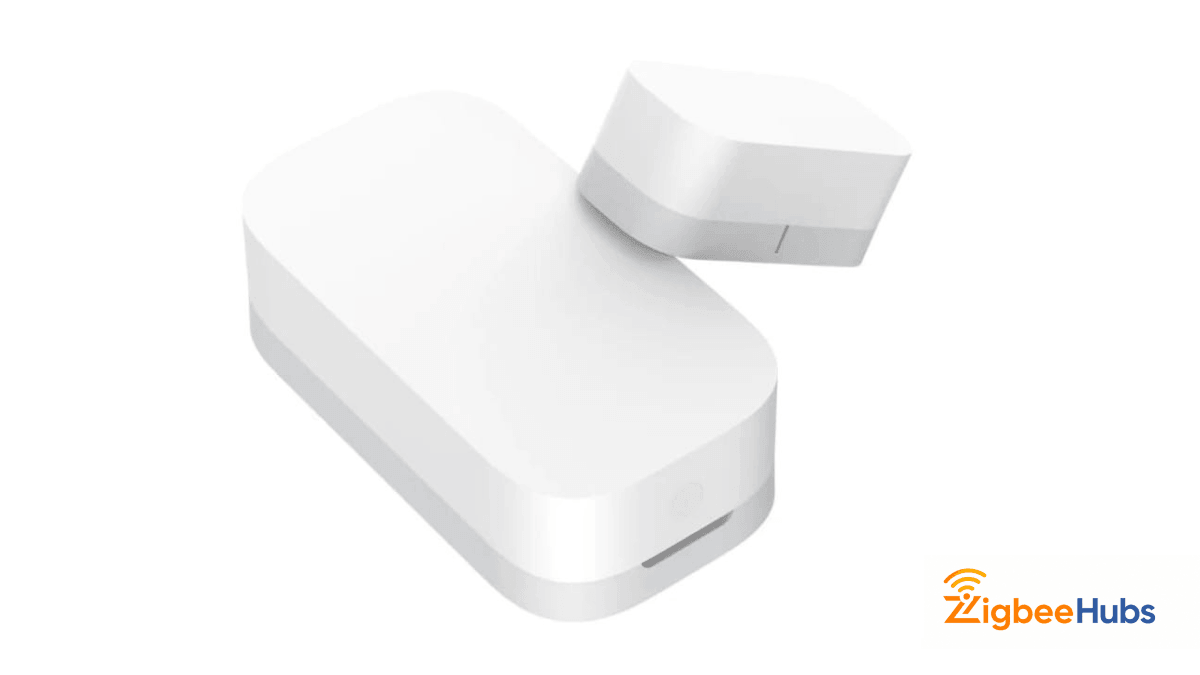
If your goal is to build a smarter and safer home, the Aqara Door & Window Sensor T1 is one of the most practical Zigbee sensors to start with. It detects when doors, windows, cabinets or drawers are opened or closed. This allows you to create useful automations such as turning on hallway lights, sending security alerts or tracking room activity. Its compact design makes it easy to install discreetly, while Zigbee connectivity helps deliver fast and reliable smart home triggers.
Key Features
- Detects door, window, cabinet, and drawer open or close activity.
- Triggers smart home automations and security notifications.
- Compact battery-powered design for flexible placement.
- Works well in bedrooms, entrances, offices, and storage areas.
- Uses Zigbee for fast and reliable local automation.
Pros
- Excellent for home security and entry monitoring.
- Small and easy to hide during installation.
- Can automate lights, alerts, and routines instantly.
- Battery-powered for clean wireless setup.
Cons
- Requires a compatible Zigbee hub.
- Sensor alignment during installation is important.
Pro Tip: Door and window sensors work best on entry points, medicine cabinets, safes, or drawers where motion sensors cannot easily detect activity.
What Zigbee Switches and Plugs Are Available?
Switches and plugs add smart control to existing devices. These always-powered accessories strengthen your mesh network as routers.
![SONOFF ZBMINIR2 Zigbee Smart Switch [Best Overall]](https://blog.zigbeehubs.com/content/images/2026/06/sonoff-zbminir2.png)
SONOFF ZBMINIR2 Zigbee Smart Switch [Best Overall]
⭐SONOFF ZBMINIR2 Zigbee Smart Switch [Best Overall]
Key Features
- Converts traditional light switches into smart Zigbee switches.
- Designed for local smart home automations.
- Compact form factor for hidden wall installation.
- Works with Zigbee hubs and automation platforms.
- Ideal for lighting schedules, scenes, and remote control.
Pros
- Keeps your existing wall switches usable.
- Hidden installation for a clean setup.
- Great for lighting automations.
- Strengthens your Zigbee mesh as a powered device.
Cons
- Requires electrical installation.
- Requires a compatible Zigbee hub.
Pro Tip: Install smart switches in hallways, staircases, or frequently used rooms first. Since they stay powered all the time, they help strengthen your Zigbee mesh network.
SONOFF ZBMINIL2 Zigbee Smart Switch
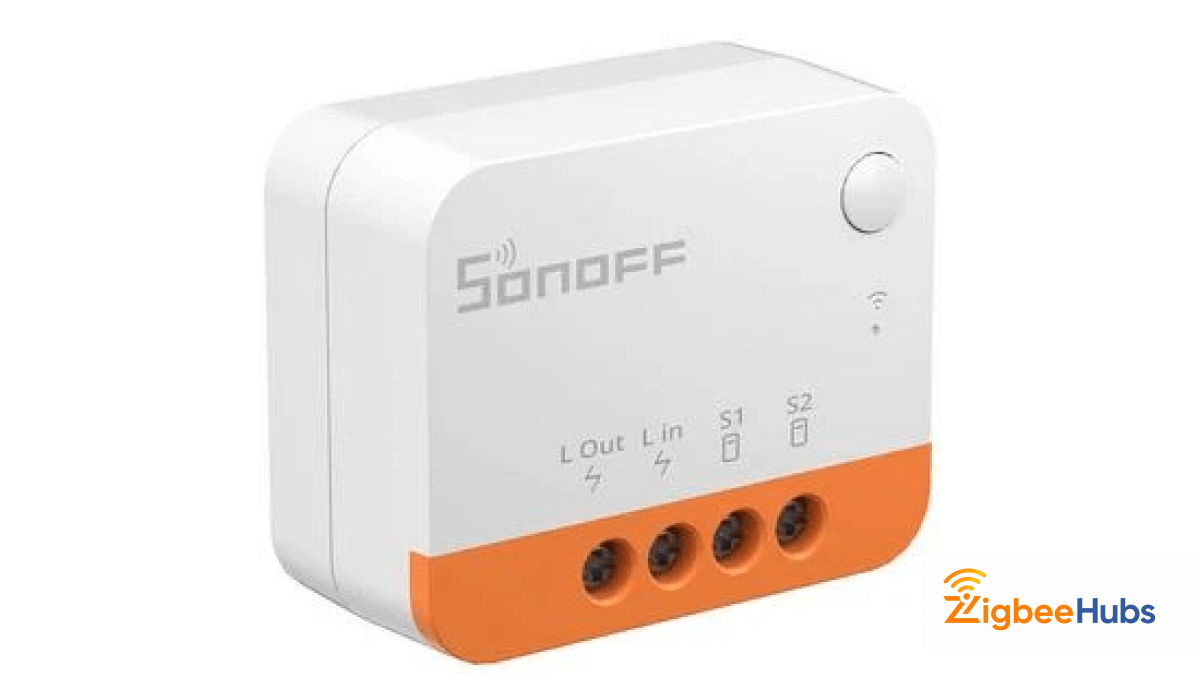
If you need a smaller Zigbee switch module for tighter wall boxes or retrofit installations, the SONOFF ZBMINIL2 is a strong alternative. It gives you the same smart control benefits while fitting into more compact electrical spaces. This makes it a practical choice for apartments, older homes or installations with limited wall cavity space.
Key Features
- Compact Zigbee smart switch module.
- Designed for retrofit smart lighting upgrades.
- Works with existing light circuits.
- Supports scheduling and automation routines.
- Mains-powered for reliable mesh networking.
Pros
- Smaller size for tighter installations.
- Great for retrofitting older homes.
- Reliable local automation support.
Cons
- Requires electrical wiring knowledge.
- Needs a Zigbee hub to operate.
Pro Tip: If your electrician says your switch box is tight, smaller Zigbee switch modules usually save installation time and reduce wiring issues.
MOES Multi-Gang Zigbee Switch
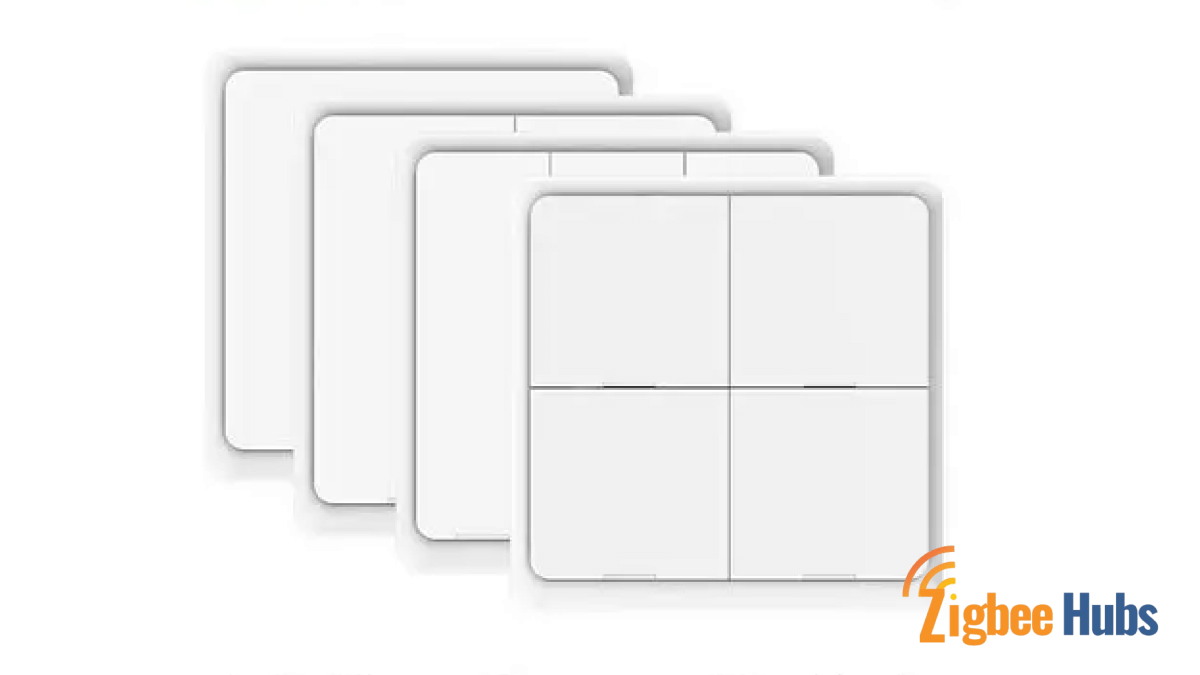
If you want one-tap control for lighting scenes, automations or smart home routines, the MOES Zigbee Multi-Gang Switch is one of the most flexible Zigbee button devices to add. It allows you to trigger scenes like "Movie Mode," "Good Night" or "Leaving Home" without opening an app or using voice commands. This makes it perfect for bedsides tables, desks, entrances or office setups.
Key Features
- Wireless Zigbee scene control button.
- Can trigger multiple automation scenes.
- Battery-powered portable design.
- Ideal for bedside, office, or entryway use.
- Works with Zigbee smart home ecosystems.
Pros
- No wiring required.
- Easy to place anywhere.
- Great for instant scene control.
- Family-friendly physical smart control.
Cons
- Battery replacement is eventually required.
- Needs a compatible Zigbee hub.
Pro Tip: Put scene switches near your bed or front door. One tap can trigger “Good Night” or “Leaving Home” automations instantly.
What Zigbee Climate Control and Other Devices Are Available?
A Zigbee thermostat connects your heating and cooling system to automation routines. Combine it with temperature sensors throughout your home for zone-based climate control.
When motion sensors detect an empty house, the thermostat adjusts automatically to save energy. Presence detection brings temperatures back to comfort levels before you arrive.
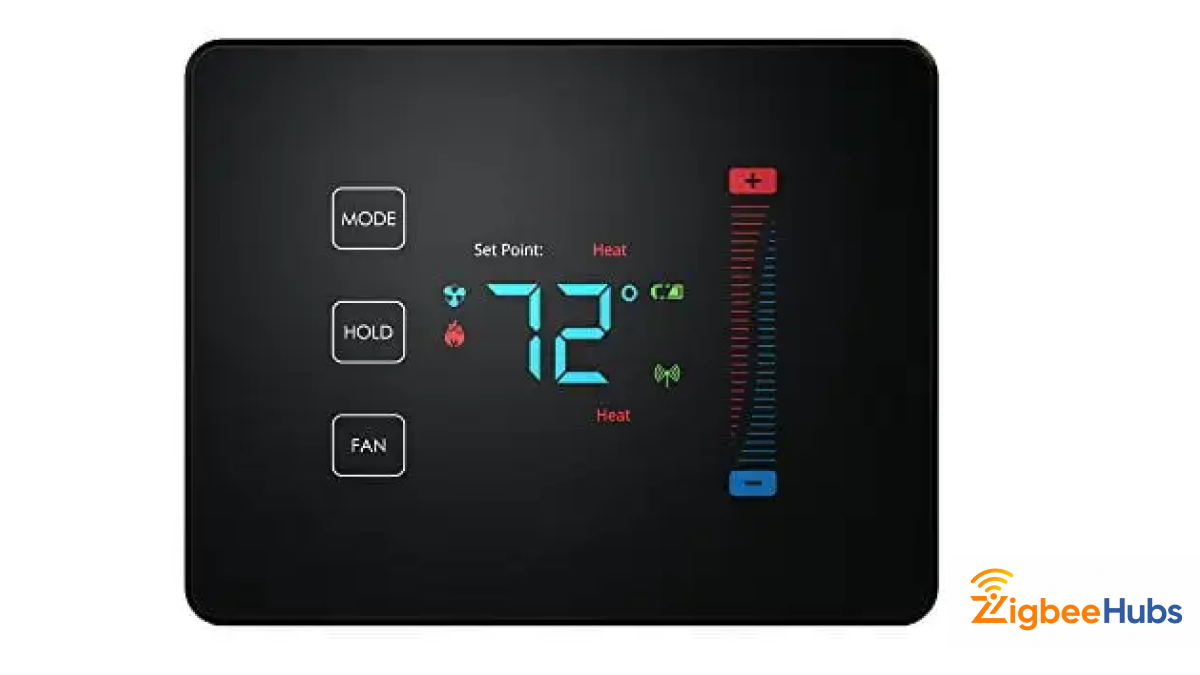
Centralite Pearl Thermostat
⭐Centralite Pearl Thermostat
Key Features
- Supports Zigbee Home Automation 1.2.
- Built-in temperature sensor for accurate climate monitoring.
- Capacitive touch controls for easy temperature adjustment.
- Supports up to 2 stages of heating and 2 stages of cooling.
- Compatible with residential HVAC systems including electric, heat pump, gas, and oil systems.
Pros
- Works with multiple HVAC system types.
- Supports local Zigbee-based climate automation.
- Built-in temperature sensing improves comfort control.
- Touch interface gives a modern thermostat experience.
Cons
- Requires HVAC wiring during installation.
- Needs a compatible Zigbee hub or controller.
Pro Tip: Install your Zigbee thermostat in the main living area instead of near windows, kitchens, or direct sunlight—this usually gives more accurate temperature readings for automations.
Aqara Presence Sensor FP2 [Best for Both]
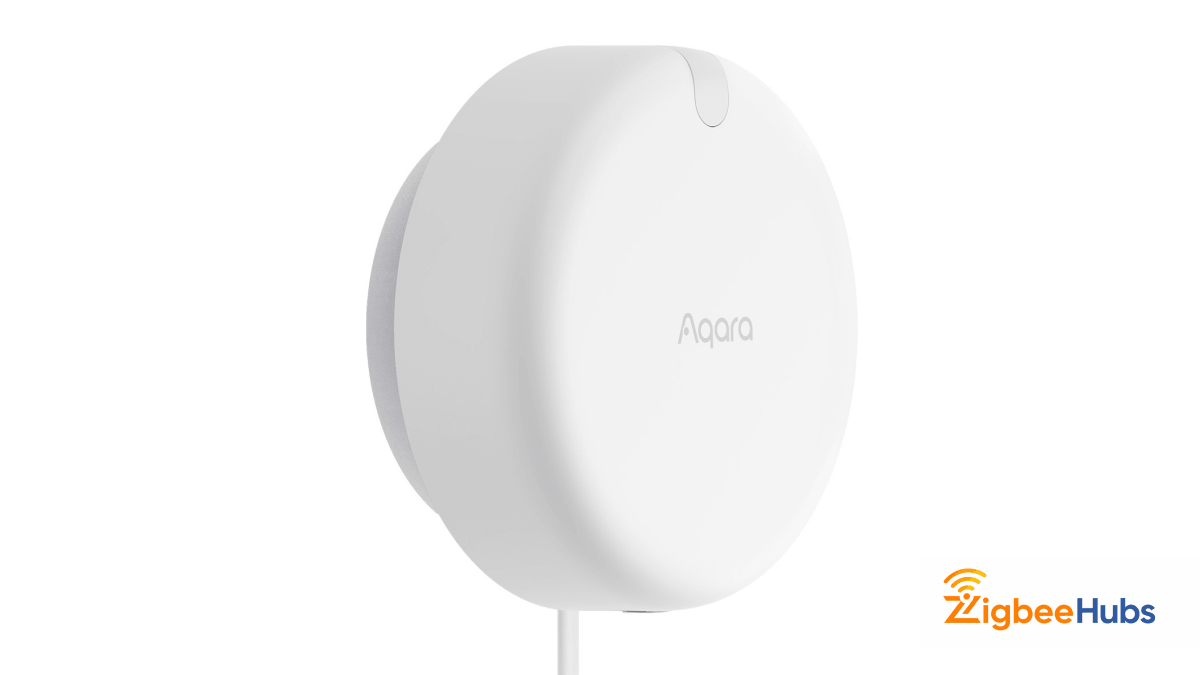
If you want one Zigbee compatible smart home device that helps with both climate control and indoor security, the Aqara Presence Sensor FP2 is one of the most advanced options available. Unlike traditional PIR motion sensors, the FP2 uses millimeter-wave radar technology to detect human presence, including slight movements like sitting, reading or working. This makes it ideal for occupancy-based lighting, fan control, HVAC automations and indoor security alerts in spaces like bedrooms, offices and living rooms. It can also divide a room into multiple detection zones, allowing different automations based on where someone is located.
Key Features
- Uses 60GHz millimeter-wave radar for highly accurate human presence detection.
- Can detect up to 5 people in one room simultaneously.
- Supports zone positioning with up to 30 automation zones.
- Built-in light sensor for smarter lighting and occupancy automations.
- Works with Apple Home, Alexa, Google Home, and Home Assistant.
Pros
- Detects both moving and stationary occupants.
- Excellent for HVAC, lighting, and occupancy-based automations.
- Much more precise than traditional motion sensors.
- Works for both comfort and security routines.
Cons
- Requires constant USB-C power.
- Initial zone setup takes some time.
Pro Tip: The FP2 works best in bedrooms, home offices, and living rooms—places where people often stay still. That’s where standard motion sensors usually fail, but radar-based presence detection keeps your lights, fans, or climate automations running naturally.
Which Zigbee Devices Work with Home Assistant, Alexa and Google Home?
Most Zigbee devices need a compatible hub to bridge into Alexa or Google Home. Home Assistant support is broadest, since ZHA and Zigbee2MQTT work with almost any Zigbee 3.0 device regardless of brand.
| Device | Home Assistant | Alexa | Google Home |
|---|---|---|---|
| Hubitat Elevation C-8 Pro | Yes | Yes (via hub) | Yes (via hub) |
| SONOFF Zigbee 3.0 USB Dongle Plus | Yes (native) | No (no built-in bridge) | No (no built-in bridge) |
| Aqara Hub M3 | Yes | Yes | Yes |
| Philips Hue Colour Ambiance Bulb | Yes (via Hue Bridge or ZHA/Z2M) | Yes | Yes |
| Aqara Motion Sensor P1 | Yes (via Aqara Hub or Z2M) | Yes (via hub) | Yes (via hub) |
| SONOFF ZBMINIR2 Smart Switch | Yes | Yes (via hub) | Yes (via hub) |
| Centralite Pearl Thermostat | Yes (via Z2M/ZHA) | No | No |
| Aqara Presence Sensor FP2 | Yes | Yes | Yes |
Which Zigbee Devices Should You Buy First?
If you are building your first Zigbee smart home, start with the network foundation before adding advanced automation devices.
- Choose a Zigbee hub first if you do not already have a coordinator. This is required for every Zigbee network.
- Add Zigbee smart plugs next if you want to strengthen your mesh network and control lamps or appliances.
- Add motion and door sensors if your main goal is automation, security, or hands-free lighting.
- Add Zigbee bulbs and switches if lighting control is your priority.
- Add thermostats, locks, and leak sensors once your mesh network is stable.
How Do Zigbee Devices Compare with ZWave, Matter, Thread and Wi-FI
ZWave
Z-Wave operates on sub-1 GHz frequencies (around 908 MHz in North America), avoiding Wi-Fi interference entirely. This provides more reliable communication in crowded wireless environments.
Z-Wave offers slightly better range with theoretical distances up to 100 meters between devices. However, Zigbee supports more devices per network (65,000 versus 232) and has broader manufacturer adoption.
Matter and Thread
The Connectivity Standards Alliance (formerly the Zigbee Alliance) now manages Matter, a unified smart home standard using Thread and Wi-Fi rather than Zigbee.
Existing Zigbee devices remain supported. Many hubs work with both standards, allowing gradual migration. Thread shares similarities with Zigbee including mesh networking and low power consumption.
Which Zigbee Category is Right for your Home?
| Device Category | Best For | Top Pick | Network Role |
|---|---|---|---|
| Zigbee Hub / Gateway | Starting and managing the Zigbee network | Hubitat Elevation C-8 Pro | Coordinator |
| Zigbee Lighting | Smart bulbs, dimming, scene control | Philips Hue Colour Ambiance LED Bulb | Router / Repeater |
| Zigbee Sensors | Motion, door, temperature, presence | Aqara Motion Sensor P1 | Usually End Device |
| Zigbee Switches and Plugs | Automating existing wiring and strengthening the mesh | SONOFF ZBMINIR2 | Router / Repeater |
| Zigbee Thermostats | Climate automation and energy savings | Centralite Pearl Thermostat | Varies by Device |
What are the Key Benefits of Zigbee Technology?
- Low Power Consumption: Battery-powered sensors last years on a single coin cell. The protocol transmits data efficiently, preserving battery life.
- Interoperability: The Connectivity Standards Alliance maintains Zigbee as an open standard. Products from Aqara, Sonoff, Ikea, Philips, and others work together on compatible hubs.
- Local Control: Zigbee networks operate locally without internet connectivity. Your automations continue functioning during outages.
- Scalability: A single coordinator supports hundreds of devices. Repeaters extend coverage to fill entire homes.
How Can you Build a Strong Zigbee Network?
- Extend Your Coordinator: Use a USB extension cable to position your Tuya Gateway or Sonoff dongle away from interference sources. USB 3.0 ports, Wi-Fi routers, and Bluetooth devices generate noise that degrades Zigbee signals.
- Build Router Coverage First: Add mains-powered devices before battery sensors. Smart plugs and bulbs create the routing backbone that battery devices rely on.
- Choose Zigbee 3.0: Modern devices using the latest protocol version offer better security and cross-vendor compatibility. Look for the Sonoff Bridge Pro or similar Zigbee 3.0 certified products.
- Space Out Routers: Position routing devices 30 to 50 feet apart. This creates overlapping coverage zones that maintain connectivity if one router fails.
- Avoid Channel Conflicts: Zigbee shares the 2.4 GHz band with Wi-Fi. Configure your coordinator to use channel 25, which avoids overlap with common Wi-Fi channels.
Is Zigbee the Right Choice for Your Home?
Zigbee excels at handling small, frequent data packets. Commands to turn lights on, temperature reports from sensors, and door status updates travel efficiently through the mesh network.
The technology is not suitable for bandwidth-intensive applications. Video streaming, audio distribution, and large file transfers still require Wi-Fi. The best smart homes combine both protocols strategically.
With proper planning and the right equipment, Zigbee delivers reliable automation that continues working when cloud services fail and internet connections drop.
Frequently Asked Questions about Zigbee Devices
Looking for a Compatible Zigbee Hub?
Explore our tested selection of Zigbee 3.0 gateways, Home Assistant coordinators, and smart controllers.
Have Questions or Need Setup Help?
Join the discussion on Smarthome Forum! Ask questions, share your home automation setup, or get expert troubleshooting advice from the community.