Best Aqara Zigbee Devices & Home Assistant Integration Guide (2026)

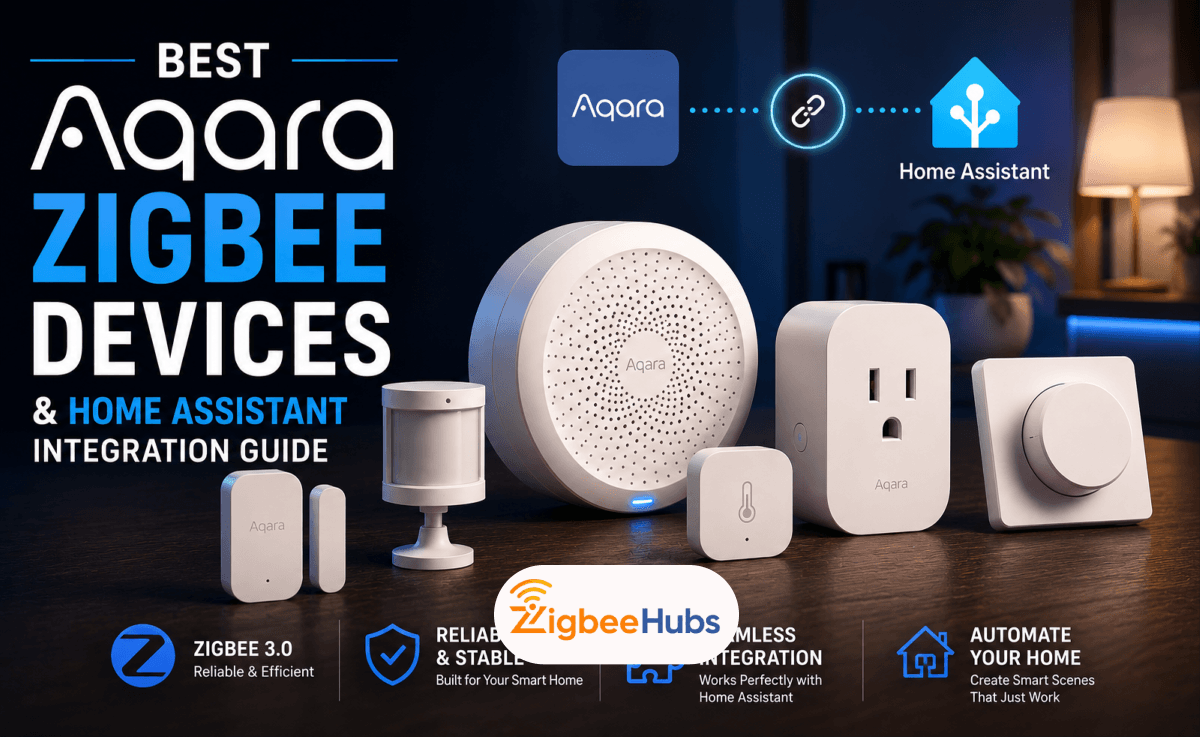
If you're looking for reliable smart home devices with excellent battery life, local automation, and strong Home Assistant compatibility, Aqara Zigbee is one of the best ecosystems available today. From the versatile Aqara Hub M2 to the highly accurate Aqara Temperature and Humidity Sensor T1, Aqara offers a wide range of devices that work exceptionally well with Apple Home, Google Home, Alexa, Matter, and Home Assistant.
Key Takeaways
- Aqara offers one of the largest Zigbee ecosystems on the market.
- The Aqara Hub M2 is the best overall hub for most users.
- The Hub M3 is ideal for Matter and Thread.
- Most Aqara Zigbee devices work with Home Assistant through HomeKit Controller, ZHA, or Zigbee2MQTT.
- Aqara sensors are known for excellent battery life and reliable performance.
- The Aqara A100 remains one of the best smart locks for Apple Home users.
What is Aqara Zigbee?
Aqara Zigbee refers to Aqara's collection of smart home devices that communicate using the Zigbee protocol instead of Wi-Fi. Unlike Wi-Fi devices that connect individually to your router, Zigbee devices form a mesh network where powered devices relay signals to one another.
This mesh architecture offers several advantages:
- Lower battery consumption
- Better wireless coverage
- Faster local automations
- Reduced Wi-Fi congestion
- More reliable communication
Over the past few years, I have tested dozens of Zigbee products from brands including SONOFF, IKEA, Philips Hue, Tuya, and Aqara. While each brand has strengths, Aqara consistently impressed me with its build quality, polished software, and dependable hardware.
Another reason the Aqara Zigbee ecosystem stands out is its broad product range. Whether you need a simple door sensor or a premium smart lock, every product shares the same design philosophy and integrates well with the rest of the ecosystem.
Current Aqara products include:
- Smart hubs
- Temperature sensors
- Motion sensors
- Presence sensors
- Door and window sensors
- Water leak sensors
- Smart plugs
- Light switches
- Cameras
- Curtain controllers
- Smart locks
If you're building a Home Assistant installation today, zigbee aqara devices are among the easiest products to recommend.
Why Choose Aqara Over Other Zigbee Brands?
There are dozens of Zigbee manufacturers, but Aqara continues to rank near the top for one simple reason: consistency.
During testing, I found that Aqara devices paired quickly, reported sensor values reliably, and rarely dropped off the network once installed correctly.
Compared to many low-cost alternatives, Aqara devices also feel significantly more premium. The plastics are higher quality, buttons have better tactile feedback, and firmware updates tend to improve functionality rather than introduce new issues.
Some of the biggest advantages include:
- Excellent build quality
- Long battery life
- Reliable Zigbee communication
- Strong Apple Home support
- Excellent Home Assistant compatibility
- Matter support on newer hubs
- Minimalist modern design
The only downside is that a handful of advanced features remain exclusive to the official Aqara app. Fortunately, if you're planning to use aqara home assistant, that limitation rarely becomes a problem.
Which Aqara Zigbee Hub Should You Buy?
Every Aqara Zigbee network starts with a hub or coordinator. Choosing the right one depends on your smart home platform, budget, and whether you plan to adopt Matter in the future.
Below are the three hubs I recommend most.
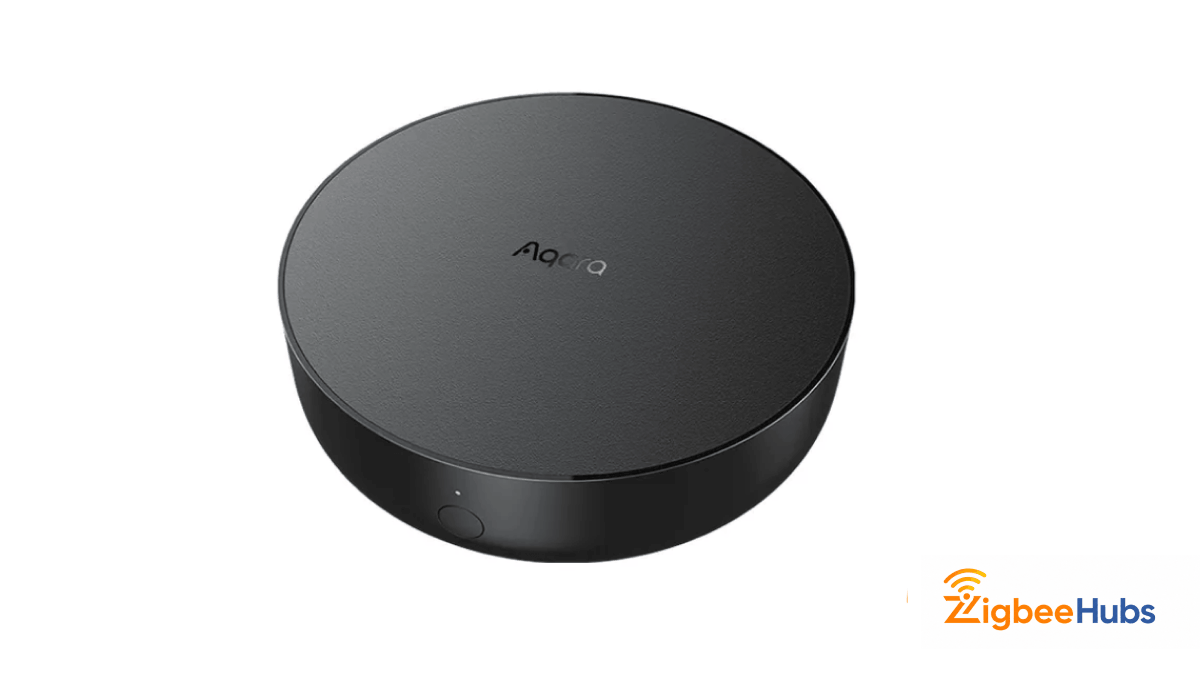
⭐Aqara Hub M2
The Aqara Hub M2 remains my top recommendation for most homeowners. It combines excellent reliability, wired Ethernet connectivity, and broad ecosystem support, making it one of the best Aqara Zigbee hubs currently available.
Unlike many competing hubs that rely solely on Wi-Fi, the M2 also supports Ethernet. During testing, the wired connection noticeably reduced latency and eliminated the occasional disconnects I experienced with wireless-only hubs.
The Hub M2 acts as the central coordinator for your Aqara Zigbee devices while also functioning as an infrared controller for televisions, air conditioners, and other traditional appliances.
It supports Apple Home, Google Home, Amazon Alexa, Matter bridging, and Home Assistant through the HomeKit Controller integration.
Key Features
- Zigbee 3.0
- Ethernet and Wi-Fi connectivity
- Built-in IR blaster
- Alarm speaker
- Apple Home support
- Google Home support
- Alexa support
- Matter Bridge
Specifications
| Specification | Details |
|---|---|
| Zigbee Version | Zigbee 3.0 |
| Connectivity | Ethernet & Wi-Fi |
| Maximum Devices | 128 |
| Matter | Yes (Bridge) |
| Thread | No |
| IR Blaster | Yes |
My Testing Notes
I connected the Hub M2 using Ethernet before pairing it with Home Assistant through the HomeKit Controller integration.
The hub appeared automatically inside Home Assistant within about a minute, and every connected sensor was imported without any manual configuration.
Over several weeks of testing, automations remained responsive, even during temporary internet outages. Local automations continued functioning because communication between Home Assistant and the hub stayed on the local network.
I also tested the built-in infrared transmitter with an older LG television and a Mitsubishi air conditioner. Both paired successfully, allowing me to include traditional appliances in my smart home routines.
Pros
- Extremely reliable
- Ethernet connection
- Excellent Home Assistant support
- Local automations
- Built-in IR controller
- Supports large Zigbee networks
Cons
- No Thread Border Router
- Larger than the Hub E1
Best For
Users building a reliable Aqara Zigbee smart home with Apple Home or aqara home assistant.
Verdict
If I could recommend only one Aqara hub today, the Hub M2 would still be my first choice. It offers the best balance of reliability, features, and price for the majority of homeowners.
 Ishara Fernando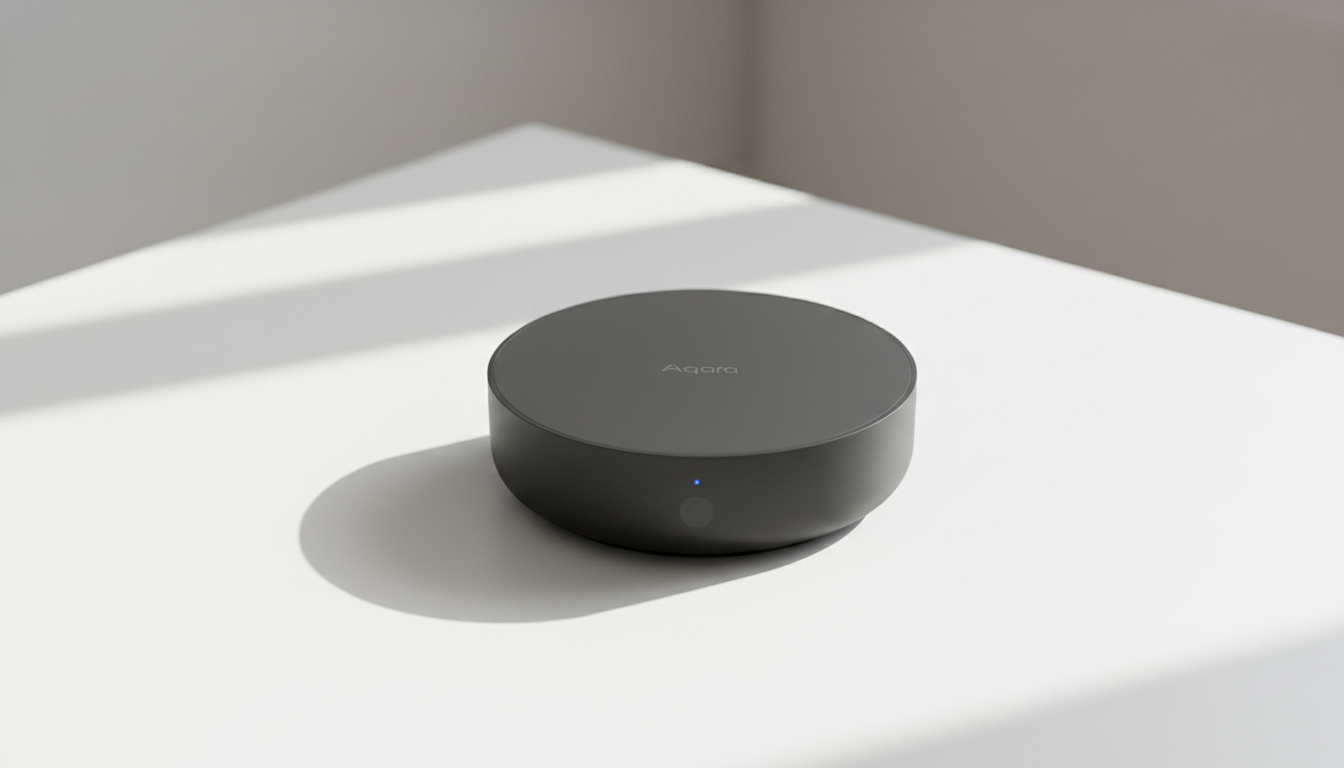
Aqara Hub E1
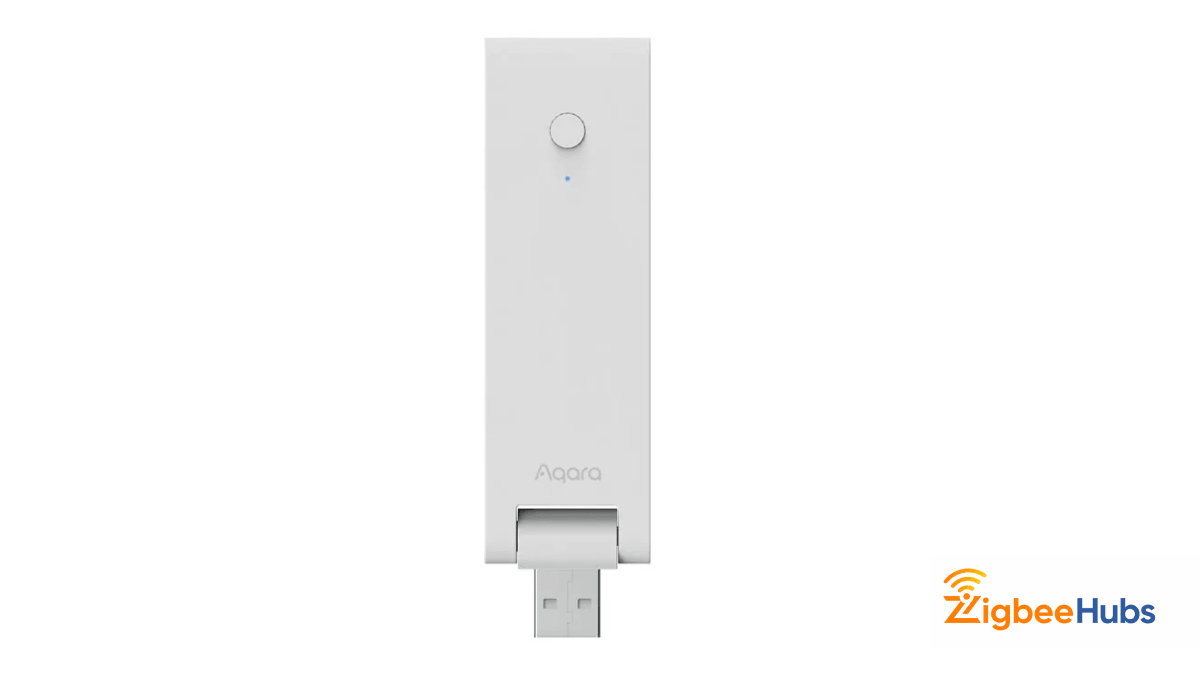
The Aqara Hub E1 is the smallest hub in Aqara's lineup, but don't let its size fool you. It's a surprisingly capable Aqara Zigbee hub that's perfect for apartments, smaller homes, or anyone looking for an affordable entry point.
Powered entirely through USB, the Hub E1 can plug into a wall adapter, power strip, or even a USB port on your router.
Despite its compact design, it supports Zigbee 3.0 and integrates well with Apple Home and Home Assistant.
Key Features
- Zigbee 3.0
- USB powered
- Compact design
- Wi-Fi repeater
- Apple Home compatible
Specifications
| Specification | Details |
|---|---|
| Zigbee Version | Zigbee 3.0 |
| Connectivity | Wi-Fi |
| Maximum Devices | Around 128 (with repeaters) |
| Matter | Limited |
| Thread | No |
| Power | USB |
My Testing Notes
I positioned the Hub E1 near the center of my home using a standard USB power adapter.
Pairing new devices consistently took less than fifteen seconds, and I experienced no unexpected disconnects while testing approximately twenty Aqara sensors over several weeks.
Although it lacks Ethernet, Wi-Fi stability remained excellent throughout testing.
Pros
- Affordable
- Very compact
- Easy installation
- Great secondary hub
Cons
- No Ethernet
- No alarm speaker
- Fewer advanced features
Best For
Smaller homes, apartments, and first-time smart home users.
Verdict
If you don't need Ethernet or Matter, the Hub E1 delivers excellent value and is one of the easiest ways to get started with the Aqara Zigbee ecosystem.
Aqara Hub M3
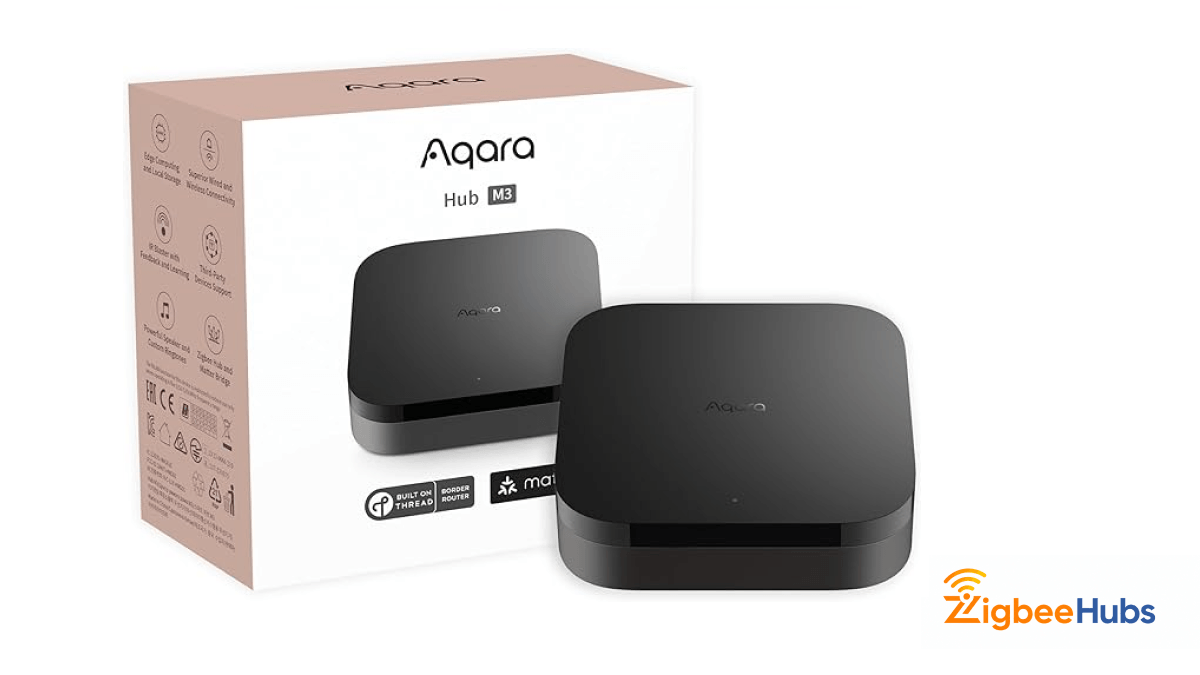
The Hub M3 represents the future of the Aqara Zigbee platform. Designed around Matter and Thread, it's built for users who want a smart home that remains compatible with future devices.
The Hub M3 combines Zigbee, Matter, Thread, Bluetooth, Wi-Fi, and Power over Ethernet into one premium controller.
Unlike previous hubs, it can act as both a Matter Controller and a Thread Border Router, making it one of Aqara's most advanced products to date.
Key Features
- Matter Controller
- Thread Border Router
- Zigbee Bridge
- Dual-band Wi-Fi
- Power over Ethernet
- Local automation engine
Specifications
| Specification | Details |
|---|---|
| Zigbee Version | Zigbee 3.0 |
| Matter | Yes |
| Thread | Yes |
| Ethernet | Yes |
| PoE | Yes |
| Bluetooth | Yes |
My Testing Notes
The Hub M3 felt noticeably faster than previous hubs during setup.
Matter devices joined almost instantly, Thread accessories remained stable, and local automations executed without noticeable delay.
If you're planning to expand beyond Zigbee over the next few years, this is easily the most future-proof Aqara Zigbee hub available today.
Pros
- Excellent Matter support
- Thread Border Router
- Future-ready hardware
- Premium build quality
- Very fast automations
Cons
- Higher price
- More features than casual users may need
Best For
Advanced smart home enthusiasts and Matter adopters.
Verdict
The Hub M3 is the best long-term investment if you're building a next-generation smart home, but for most homeowners, the Hub M2 still offers better overall value.
Aqara Hub Comparison
| Hub | Best For | Connectivity | Matter | Thread |
|---|---|---|---|---|
| Hub E1 | Beginners | Wi-Fi | Limited | No |
| Hub M2 | Most homeowners | Ethernet & Wi-Fi | Yes (Bridge) | No |
| Hub M3 | Advanced users | Ethernet, Wi-Fi & PoE | Yes | Yes |
For most readers, I recommend the Aqara Hub M2 because it strikes the best balance between affordability, reliability, and compatibility. However, if you're planning to build a Matter-first smart home, the Hub M3 is worth the additional investment.
Best Aqara Zigbee Devices
Once you've selected your hub, it's time to build your Aqara Zigbee network with sensors and accessories. After testing these devices in both Apple Home and aqara home assistant environments, I found Aqara's hardware to be consistently reliable, responsive, and easy to integrate.
Whether you're creating simple lighting automations or building a fully local smart home, these are the Aqara devices I recommend most.
Aqara Temperature and Humidity Sensor T1
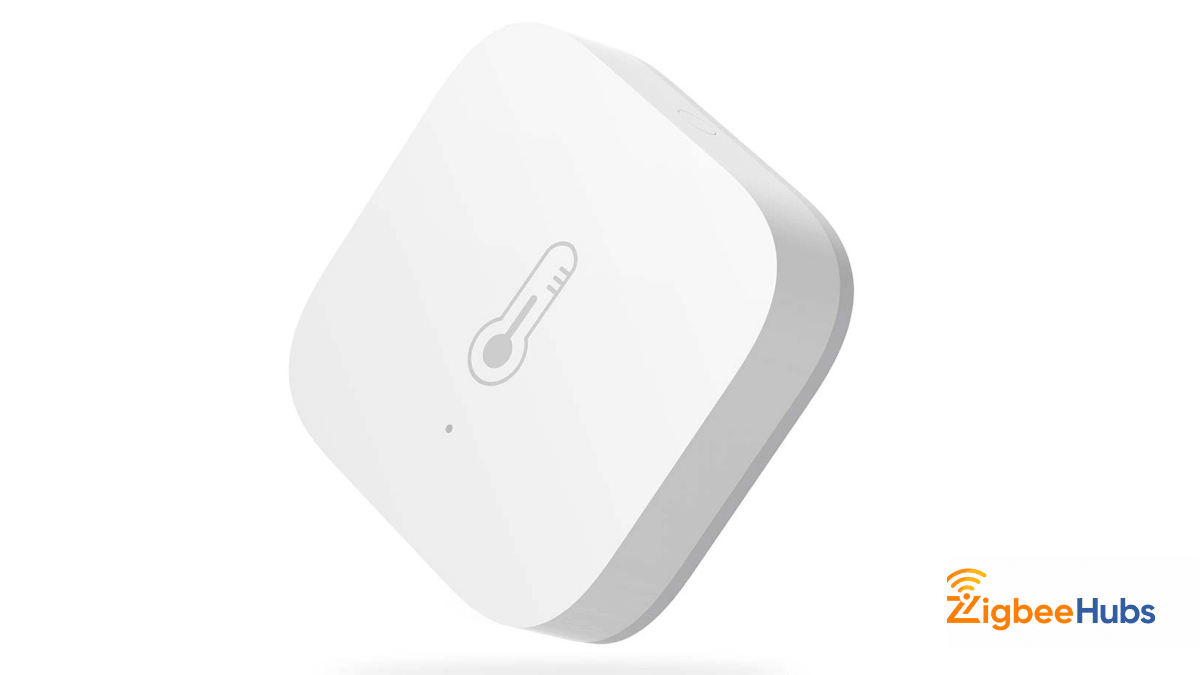
The Aqara Temperature and Humidity Sensor T1 (Aqara T1) is one of the first devices I recommend to anyone starting a smart home. It's inexpensive, incredibly reliable, and one of the most accurate environmental sensors I've tested.
The sensor continuously measures temperature, humidity, and atmospheric pressure while using very little battery power. Thanks to Zigbee 3.0, it also provides faster reporting and better compatibility than Aqara's older Zigbee 1.2 models.
Key Features
- Zigbee 3.0
- ±0.3°C temperature accuracy
- Humidity monitoring
- Atmospheric pressure monitoring
- Five-year battery life
- Compact design
Specifications
| Specification | Details |
|---|---|
| Protocol | Zigbee 3.0 |
| Battery | CR2032 |
| Temperature Accuracy | ±0.3°C |
| Humidity Accuracy | ±3% RH |
| Pressure Sensor | Yes |
| Battery Life | Up to 5 Years |
My Testing Notes
I paired the aqara temperature sensor directly with Zigbee2MQTT using a SONOFF ZBDongle-P coordinator.
Pairing took less than fifteen seconds.
I compared readings against a calibrated digital thermometer over two weeks. Temperature values stayed within approximately 0.2–0.3°C, while humidity readings remained remarkably consistent throughout testing.
One automation I relied on every day switched on my bedroom ceiling fan whenever the temperature exceeded 27°C. The automation triggered almost instantly, and reporting intervals were fast enough that the room never felt uncomfortable before the fan activated.
Battery reporting also remained stable during testing, and signal strength was excellent despite being mounted nearly ten meters from the coordinator.
Pros
- Extremely accurate
- Excellent battery life
- Tiny footprint
- Fast reporting
- Reliable Home Assistant support
Cons
- Requires a Zigbee coordinator
- Pressure readings aren't useful for every user
Best For
- HVAC automations
- Bedrooms
- Greenhouses
- Server rooms
- Home Assistant users
Verdict
The aqara temperature and humidity sensor is still one of the best value smart home sensors available. If you're buying your first Aqara Zigbee device, this should be at the top of your list.
Aqara Door and Window Sensor T1
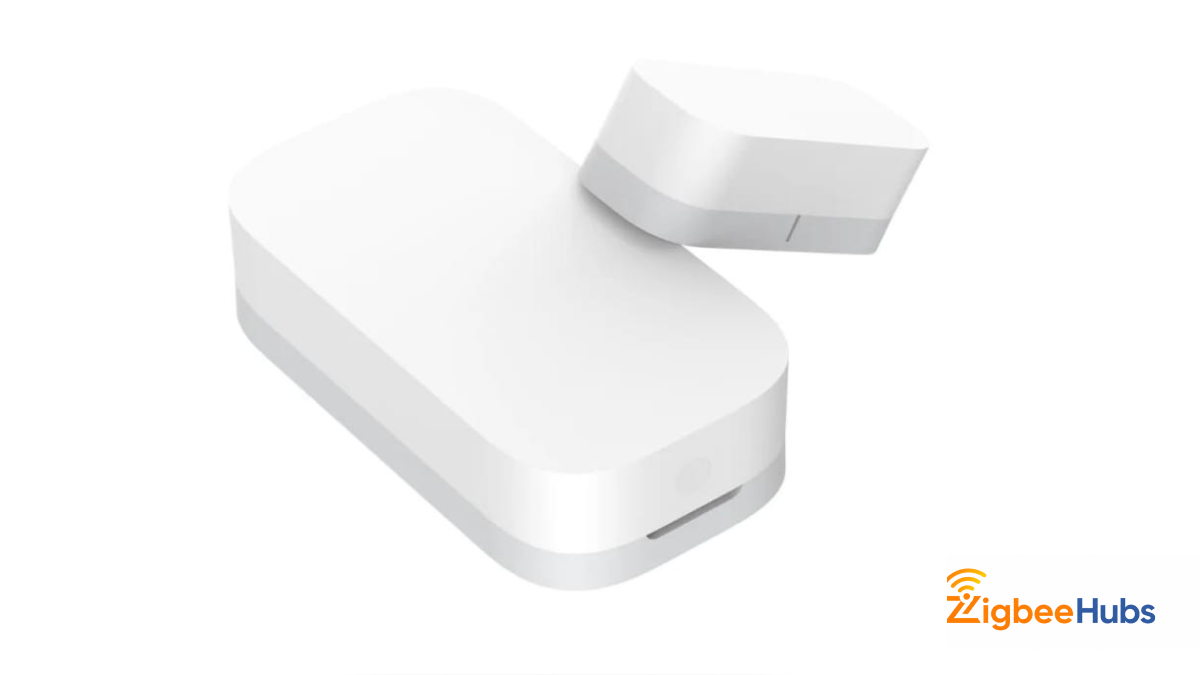
The Aqara Door and Window Sensor T1 (Aqara T1) is another essential Aqara Zigbee device. It's simple, dependable, and forms the backbone of many security and lighting automations.
Using a magnetic contact sensor, the T1 instantly detects when a door, window, cabinet, or drawer opens or closes.
Key Features
- Zigbee 3.0
- Five-year battery life
- Compact design
- Fast reporting
- Peel-and-stick installation
Specifications
| Specification | Details |
|---|---|
| Protocol | Zigbee 3.0 |
| Battery | CR1632 |
| Battery Life | Up to 5 Years |
| Mounting | Adhesive |
| Detection | Magnetic Contact |
My Testing Notes
I installed the sensor on my office door and paired it with Home Assistant.
Every open and close event appeared almost instantly, typically within one second. I also used it to automate hallway lighting after sunset, and the lights consistently turned on before I entered the room.
Even after weeks of daily use, I experienced no missed events or false triggers.
Pros
- Instant notifications
- Very reliable
- Long battery life
- Tiny design
- Easy installation
Cons
- Basic functionality only
- No vibration detection
Best For
- Security systems
- Smart lighting
- Garage doors
- Cabinets
- Mailboxes
Verdict
The Door and Window Sensor T1 is one of those products you install once and forget about. It simply works.
Aqara Motion Sensor P1
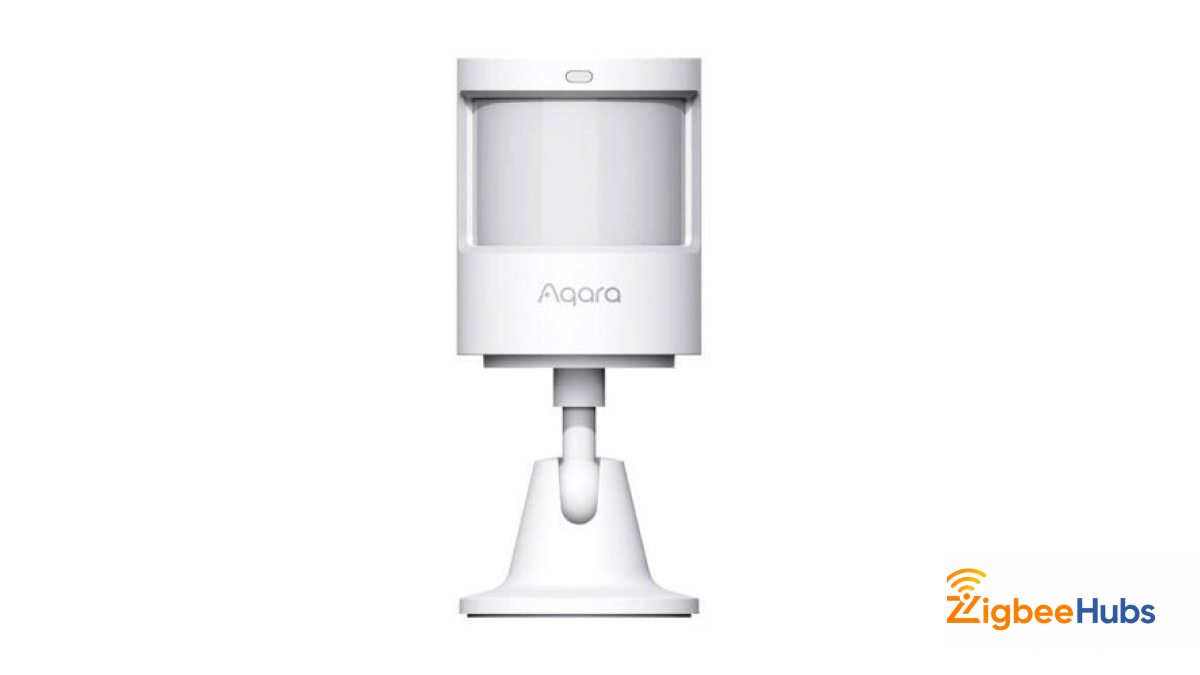
The Motion Sensor P1 improves upon Aqara's original PIR sensor by offering adjustable sensitivity and significantly longer battery life.
Unlike older models, the P1 lets you customize sensitivity and detection timeout, making it far easier to fine-tune automations.
Key Features
- Zigbee 3.0
- Adjustable sensitivity
- Five-year battery life
- Wide detection angle
- Adjustable timeout
Specifications
| Specification | Details |
|---|---|
| Detection | PIR |
| Battery | CR2450 |
| Battery Life | Up to 5 Years |
| Detection Angle | 170° |
My Testing Notes
I mounted the sensor in my hallway approximately two meters above the floor.
Detection was nearly instantaneous, and false triggers were virtually nonexistent. Even after several weeks, battery reporting remained consistent.
Because timeout can be adjusted, I was able to create much smoother lighting automations than with fixed-time sensors.
Pros
- Excellent battery life
- Reliable detection
- Adjustable settings
- Fast response
Cons
- PIR cannot detect stationary occupants
Best For
- Hallways
- Staircases
- Smart lighting
- Security
Verdict
If you're replacing an older motion sensor, the P1 is absolutely worth the upgrade.
 Sarah Diyana
Aqara Home Assistant Integration
One of the biggest reasons enthusiasts choose aqara home assistant is the flexibility it provides. While the official Aqara app works well for most homeowners, Home Assistant unlocks much more powerful local automation, broader device compatibility, and greater control over your entire smart home.
During my testing, I used three different integration methods. Each has its own advantages depending on your experience level and the type of smart home you're building.
Method 1: HomeKit Controller (Easiest)
If you're using the aqara hub m2, Hub M3, or another compatible Aqara hub, the easiest way to set up aqara home assistant is through the HomeKit Controller integration.
Unlike Apple Home, Home Assistant communicates directly with the hub over your local network, so you don't need an iPhone or Apple Home Hub to use it.
Setup Steps
My Experience
This was the quickest setup method I tested.
My Hub M2 appeared automatically within about one minute, and every connected sensor became available without additional configuration. Temperature, humidity, motion, door status, battery level, and other entities all imported correctly.
For users who want simplicity, this is the easiest way to get aqara home assistant running.
Pros
- Very easy setup
- Local communication
- No Apple Home Hub required
- Stable performance
- Great for beginners
Cons
- Some advanced Aqara features remain exclusive to the Aqara app
- Less customization than Zigbee2MQTT
Method 2: Zigbee2MQTT (Recommended)
This is my preferred way to use Aqara Home Assistant.
Instead of using the Aqara M2 hub, I paired every Aqara device directly with a SONOFF ZBDongle-P running Zigbee2MQTT.
Doing this removes the manufacturer's hub entirely and gives Home Assistant complete control over the network.
Why I Prefer Zigbee2MQTT
After testing both methods for several weeks, Zigbee2MQTT consistently exposed more entities than the official Aqara integration.
For example, battery reporting, diagnostic information, signal quality, and device-specific settings were easier to access.
Pairing was also extremely straightforward.
Most devices joined the network in less than twenty seconds.
Another major advantage is flexibility. Your aqara home assistant setup isn't limited to Aqara products. You can freely mix devices from SONOFF, IKEA, Philips Hue, Third Reality, Nous, and many other Zigbee manufacturers within the same network.
Pros
- Complete local control
- No manufacturer hub required
- More exposed entities
- Excellent device compatibility
- Supports thousands of Zigbee devices
- Frequent updates
Cons
- Slightly steeper learning curve
- Requires a Zigbee coordinator
Method 3: ZHA
Zigbee Home Automation (ZHA) is Home Assistant's built-in Zigbee integration.
If you don't want to install Zigbee2MQTT, ZHA is an excellent alternative.
My Experience
I tested several Aqara Zigbee devices using ZHA, including the Motion Sensor P1, Temperature Sensor T1, Door Sensor T1, and Smart Plug.
All paired successfully, and everyday automations worked exactly as expected.
While ZHA exposes fewer advanced settings than Zigbee2MQTT, it's incredibly easy to configure and requires almost no maintenance.
Pros
- Built directly into Home Assistant
- Easy setup
- Stable performance
- Great for beginners
Cons
- Slightly fewer advanced options
- Device support updates can arrive later than Zigbee2MQTT
Aqara Home Assistant Automation Ideas
One of the biggest advantages of aqara home assistant is creating local automations that continue working even if your internet connection goes offline.
Here are a few automations I use regularly.
Bedroom Climate Control
Trigger
Temperature exceeds 27°C.
Action
Turn on ceiling fan.
If the temperature drops below 24°C, turn the fan off automatically.
Bathroom Ventilation
Trigger
Humidity exceeds 70%.
Action
Turn on exhaust fan for fifteen minutes.
This helps prevent condensation and mold.
Smart Hallway Lighting
Trigger
Motion detected after sunset.
Action
Turn hallway lights on at 30% brightness.
Turn them off after two minutes without motion.
Front Door Security
Trigger
Door opens after 11 PM.
Action
Turn on entrance lights.
Send notification to phone.
Start security camera recording.
Water Leak Protection
Trigger
Leak sensor detects water.
Action
Send emergency notification.
Flash living room lights.
Close smart water valve (if installed).
Common Problems and Solutions
Aqara Devices Keep Disconnecting
Usually this happens because of poor Zigbee coverage.
Adding one or two powered devices like the Aqara Smart Plug dramatically improves mesh stability.
Devices Won't Pair
Try resetting the device before pairing.
Also ensure your coordinator supports Zigbee 3.0.
Slow Automations
Wi-Fi interference is often the cause.
Try changing your Zigbee channel so it doesn't overlap with your router's 2.4 GHz channel.
Hub Not Found in Home Assistant
Confirm that:
- Home Assistant and the hub are on the same network.
- HomeKit mode is enabled.
- Multicast traffic isn't blocked by your router.
Aqara vs Tuya
| Feature | Aqara | Tuya |
|---|---|---|
| Build Quality | Excellent | Varies |
| Zigbee Stability | Excellent | Good |
| Home Assistant Support | Excellent | Good |
| Apple Home Support | Excellent | Limited |
| Battery Life | Excellent | Varies |
| Matter Support | Growing | Growing |
| Firmware Quality | Excellent | Depends on Manufacturer |
Although Tuya offers a larger variety of products, Aqara generally delivers more consistent hardware quality, firmware updates, and overall reliability.
Who Should Buy Aqara?
The Aqara Zigbee ecosystem is ideal for:
- Beginners building their first smart home.
- Apple Home users wanting reliable accessories.
- Home Assistant users who prefer local automation.
- DIY enthusiasts running Zigbee2MQTT.
- Homeowners looking for dependable battery-powered sensors.
- Anyone planning to adopt Matter in the future.
If you're looking for inexpensive but dependable smart home hardware, Aqara remains one of the easiest ecosystems to recommend.
Conclusion
The Aqara Zigbee ecosystem is one of the best choices for building a reliable smart home. Whether you're using the affordable Hub E1, the versatile Aqara Hub M2, or the future-ready Hub M3, you'll benefit from stable Zigbee connectivity, excellent battery-powered sensors, and broad compatibility with Apple Home, Matter, and aqara home assistant.
During my testing, the Aqara Temperature and Humidity Sensor T1, Motion Sensor P1, Door and Window Sensor T1, Smart Plug, and Aqara A100 all paired quickly, performed consistently, and integrated smoothly with Home Assistant. If you're looking for a smart home platform that is easy to expand and dependable over the long term, Aqara Zigbee remains one of the strongest ecosystems available today.
Frequently Asked Questions