SONOFF Zigbee 3.0 USB Dongle Plus Review 2026: Is It Worth It?
- 1.What is the Sonoff Zigbee 3.0 USB Dongle
- 2.What are the Key Features of the Sonoff Zigbee 3.0 USB Dongle Plus?
- 3.How Did We Test the SONOFF Zigbee 3.0 USB Dongle Plus?
- 4.Who is the Sonoff Zigbee 3.0 USB Dongle Plus Best For?
- 5.How Does the Sonoff Zigbee Dongle Work with Home Assistant?
- 6.How Do You Set Up the Sonoff Zigbee 3.0 USB Dongle Plus?
- 7.What Performance and Range Can You Expect?
- 8.How Does SONOFF ZBDongle-P Compare to ConBee II and SLZB-06?
- 9.What Are the Pros and Cons of the Sonoff Zigbee 3.0 USB Dongle Plus?
- 10.How Does it Compare to Other Zigbee USB Dongles?
- 11.Final Verdict: Is the Sonoff Zigbee 3.0 USB Dongle Plus Worth It?
- 12.Sonoff Zigbee 3.0 USB Dongle Plus FAQ
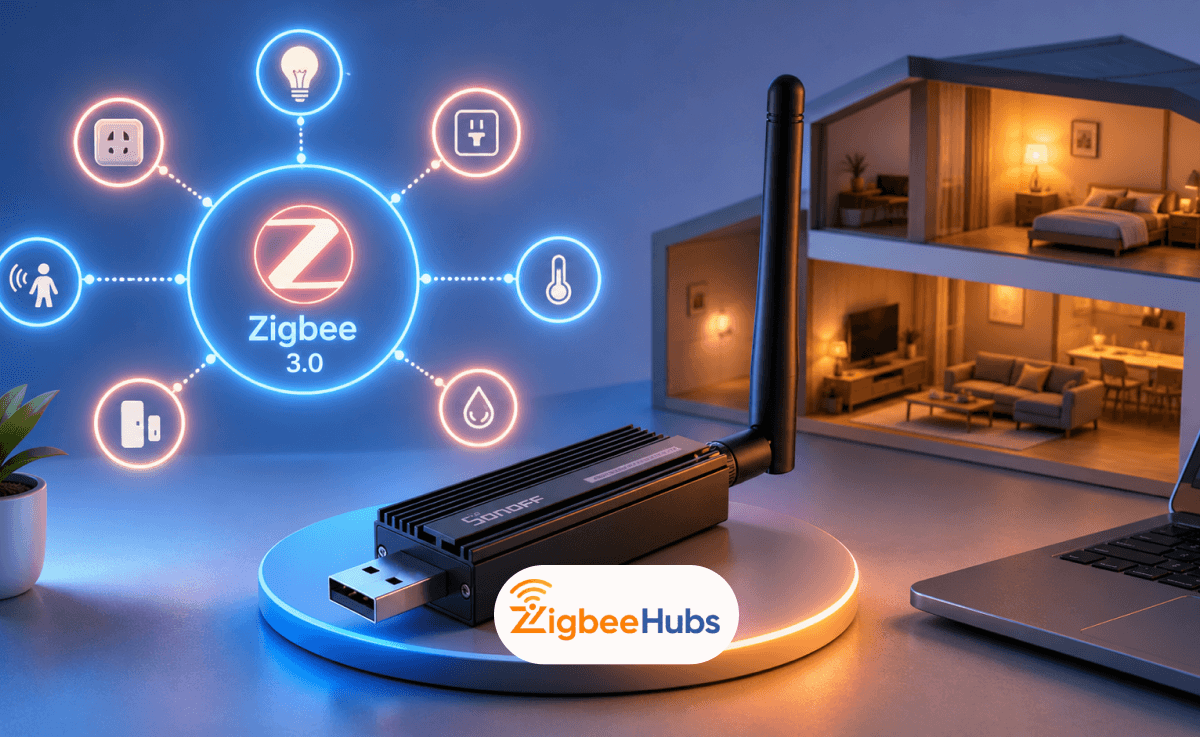
The Sonoff Zigbee 3.0 USB Dongle Plus is a powerful and affordable Zigbee coordinator designed for users who want full local control of their smart home. It is widely used with platforms like Home Assistant and Zigbee2MQTT, making it a strong option for beginners and advanced users alike.
What is the Sonoff Zigbee 3.0 USB Dongle
The SONOFF Zigbee 3.0 USB Dongle Plus (ZBDongle-P) is one of the best value Zigbee coordinators available for Home Assistant. It runs on the TI CC2652P chip, ships pre-flashed, and works with both ZHA and Zigbee2MQTT out of the box. For most users building a local Zigbee network, it is the easiest starting point at this price point.
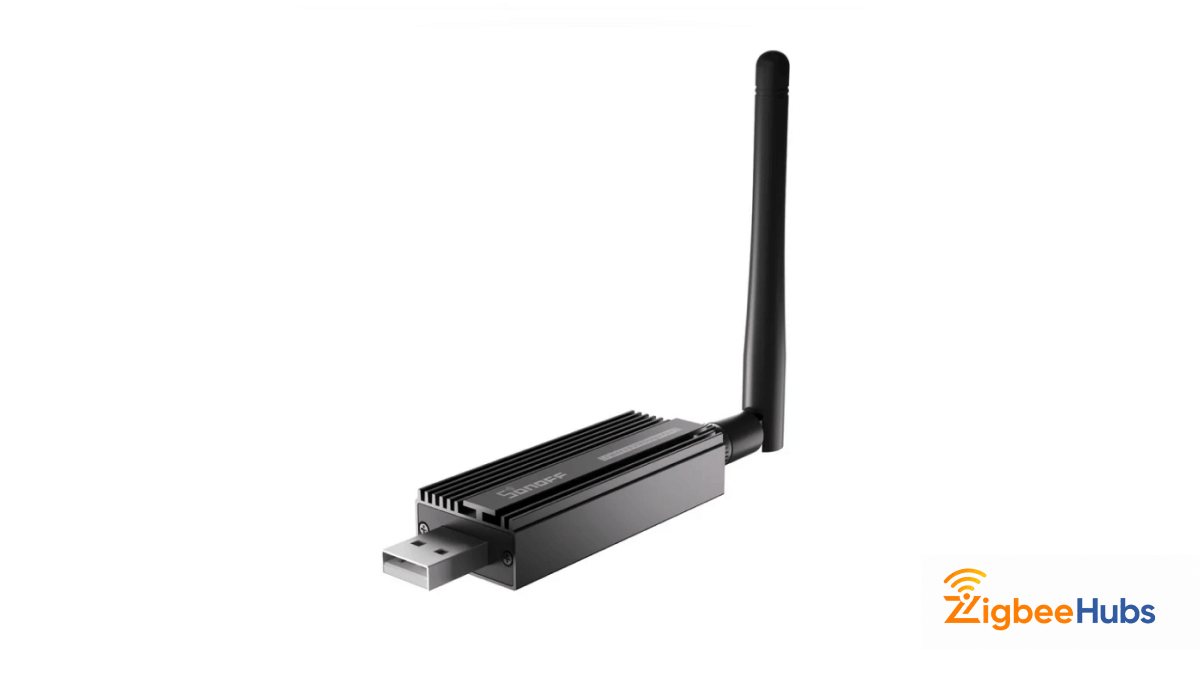
The Sonoff Zigbee 3.0 Dongle Plus is a universal Zigbee 3.0 coordinator that replaces brand locked smart home hubs. Instead of relying on cloud services, it allows you to manage Zigbee devices locally through your own system.
This approach improves reliability, privacy and long-term flexibility for smart home setups.
What are the Key Features of the Sonoff Zigbee 3.0 USB Dongle Plus?
The Zigbee 3.0 Dongle Plus is designed for long-term stability, strong signal performance and broad Zigbee compatibility. These are the core features that make it a reliable smart home coordinator.
Powerful TI CC2652P Hardware
The dongle is built on the TI CC2652P chip with a CP2102n USB controller. This hardware combination delivers reliable Zigbee communication and a +20 d8m output gain, which significantly improves range compared to older Zigbee USB sticks.
Durable Aluminum Alloy Housing
The sonoff zigbee 3.0 usb features a solid aluminum alloy enclosure. This housing helps reduce electromagnetic interference from nearby USB devices and improves overall durability during continuous operation.
Pre-Flashed Z-Stack Coordinator Firmware
The dongle ships pre-flashed with Z-Stack 3.x.0 coordinator firmware. This allows most users to use it immediately with Home Assistant or Zigbee2MQTT without performing manual firmware flashing.
External SMA Antenna for Better Coverage
Unlike many Zigbee USB sticks with internal antennas, the sonoff zigbee dongle includes an external SMA antenna. This improves signal penetration through walls and provides more consistent Zigbee coverage across larger homes.
How Did We Test the SONOFF Zigbee 3.0 USB Dongle Plus?
We ran the ZBDongle-P in a live Home Assistant setup for over eight months across a 40+ device Zigbee network. Testing covered hardware setup, both ZHA and Zigbee2MQTT integrations, firmware flashing, range, and long-term stability. Here is what we found.
Test Environment
- Host hardware: Raspberry Pi 4
- Integrations tested: ZHA and Zigbee2MQTT
- Devices paired: 40+, including IKEA TRÅDFRI, Philips Hue, Aqara, Xiaomi, Tuya, and Sonoff sensors
- Firmware tested: Stock (version 20210708) and updated (version 20230507)
- Test duration: 8+ months of continuous operation
Hardware and Physical Setup
The aluminum casing feels immediately solid. It is not just aesthetics — the enclosure actively dissipates heat during continuous operation and reduces electromagnetic interference from nearby components. The external SMA antenna is a meaningful upgrade over the PCB antennas on cheaper dongles. Signal penetration is noticeably better.
Two physical issues came up during setup that are worth flagging before you start.
First, USB 3.0 interference is real. Our testing confirmed that placing the dongle directly into a USB 3.0 port caused signal instability. USB 3.0 ports generate 2.4 GHz noise that disrupts Zigbee communication. The fix is simple: use a USB 2.0 extension cable of at least one meter to move the dongle away from the host machine. We consider this essential, not optional.
Second, on the Raspberry Pi 4, the USB bus did not supply enough stable power to the dongle in some configurations. Moving it to an externally powered USB 2.0 hub resolved recognition issues inside Home Assistant. If you are running on a Pi and see the dongle appearing and disappearing, this is the first thing to check.
ZHA vs Zigbee2MQTT
We tested both integrations. Both work reliably with the ZBDongle-P. Zigbee2MQTT is our preference for its wider device library and granular control over network settings. The ZBDongle-P's CC2652P chip is particularly well-suited to Z2M, the ZBDongle-E (EFR32MG21 chip) is less mature in that integration, which is one reason we recommend the P variant specifically.
One configuration detail that made a real difference: setting the Zigbee channel to 25 (or channel 20 in the US) and keeping Wi-Fi access points on channels 1, 6, or 11 eliminated the mesh collisions we saw in early testing. If your network feels unstable, channel overlap with Wi-Fi is the first thing to check.
Range and Mesh Performance
Range held up well beyond what we expected at this price. The ZBDongle-P maintained reliable communication over 15 meters through two interior walls. Battery-powered sensors stayed connected through three to four concrete walls when routed through well-placed repeaters.
One observation worth noting: the Link Quality Indicator (LQI) values reported in Zigbee2MQTT were sometimes inconsistent. We saw sensors report better link quality when routed through an IKEA TRÅDFRI repeater than when sitting directly next to the coordinator. LQI numbers are a useful guide but should not be treated as precise measurements.
Pairing order also matters more than most guides mention. We got better mesh stability by pairing mains-powered devices, smart plugs and bulbs, first to establish the repeater backbone before adding battery-powered sensors.
Firmware: Update Before You Do Anything Else
This is the most important practical finding from our testing. The stock firmware that ships on most units (version 20210708) limits signal output to +5 dBm and caps network performance well below what the hardware is capable of. The CC2652P chip supports +20 dBm.
Updating to Z-Stack firmware version 20230507 raised the default antenna gain to +9 dBm (adjustable to +20 dBm) and produced a noticeable improvement in link quality across the mesh. We recommend flashing updated firmware before pairing a single device. Use the ZigStar OTA tool or the Zigbee2MQTT OTA update feature.
Long-Term Stability
After eight months running 40+ devices, the dongle did not need a single restart. No dropped coordinator connections, no mesh collapses. This level of stability is the main reason we still recommend the ZBDongle-P over newer alternatives for users building a pure Zigbee network today.
Who is the Sonoff Zigbee 3.0 USB Dongle Plus Best For?
The sonoff zigbee 3.0 usb dongle plus ho
me assistant setup is ideal for users who want a local first smart home.
It is best for:
- Home Assistant users who want local automation.
- DIY smart home enthusiasts.
- Users combining devices from multiple brands.
- Beginners starting with Zigbee for the first time.
Because it is widely supported and mostly plug and play, it works well even for users with limited technical experience.
How Does the Sonoff Zigbee Dongle Work with Home Assistant?
The ZBDongle-P is one of the most widely supported Zigbee coordinators in the Home Assistant ecosystem. It works with both major Zigbee integrations: ZHA and Zigbee2MQTT. Here is what each option means in practice.
Zigbee Home Automation
ZHA is the built-in Zigbee integration in Home Assistant. It requires no extra software and is the fastest way to get started.
- Built directly into Home Assistant — no separate installation.
- Plug in the dongle, select it in the ZHA setup wizard, start pairing.
- Best for users who want a simple setup with minimal configuration.
- Device support is broad but slightly narrower than Zigbee2MQTT.
- Recommended for beginners and smaller networks (under 50 devices).
Zigbee2MQTT (Z2M)
Zigbee2MQTT is an open-source bridge that runs alongside Home Assistant (typically as an add-on) and exposes Zigbee devices via MQTT. It requires more setup but gives you more control.
- Supports a larger device library — over 3,000 devices as of 2026.
- More granular control over device settings and network topology.
- Exposes raw Zigbee data, useful for debugging and advanced automations.
- Requires MQTT broker (Mosquitto add-on) in addition to Z2M.
- Recommended for advanced users and larger networks.
Which Should You Choose?
- Choose ZHA if: You are new to Zigbee, you have fewer than 50 devices, or you want the simplest possible setup inside Home Assistant.
- Choose Zigbee2MQTT if: You have devices that ZHA does not support, you want more visibility into your mesh, or you plan to scale past 50 devices.
Is the Device Detected Automatically?
On most Home Assistant OS installs, yes. The dongle shows up automatically when plugged into a USB port. On Linux systems or Docker installs, you may need to identify the device path manually by checking connected USB devices before and after plugging in the dongle.
Is Setup Complicated for Beginners?
No. Most users only need to plug in the dongle, select it inside Home Assistant, and start pairing devices.
How Do You Set Up the Sonoff Zigbee 3.0 USB Dongle Plus?
Setting up the Sonoff Zigbee USB is straightforward.
- Where should the dongle be placed?
- Which integration should you choose?
- ZHA is best for simple setups.
- Zigbee2MQTT is better for advanced users and broader device support.
- How is the device detected?
It is strongly recommended to use a USB 2.0 extension cable. This moves the dongle away from WiFi radios and reduces interference.
On Linux systems, the device path can be identified by checking connected USB devices before and after plugging in the dongle.
What Performance and Range Can You Expect?
The sonoff zigbee 3.0 coordinator performs significantly better than older Zigbee USB sticks like the CC2531.
Key performance highlights:
- Strong signal strength with +20 dBm output
- Stable connections through walls
- Improved link quality across larger homes
By default, it supports 21 direct device connections and up to 40 total devices in a Zigbee mesh. With newer firmware, this can be extended to up to 200 devices.
How Does SONOFF ZBDongle-P Compare to ConBee II and SLZB-06?
The ZBDongle-P is not the only option in this price range. Here is how it compares to the two most common alternatives: the Dresden Elektronik ConBee II and the SMLIGHT SLZB-06.
| Feature | Sonoff ZBDongle-P | ConBee II | SLZB-06 |
|---|---|---|---|
| Chip | TI CC2652P | Atmel AVR ATmega256RFR2 | TI CC2652P |
| Connection | USB | USB | Ethernet / Wi-Fi / USB |
| Antenna | External SMA | Internal PCB | External SMA |
| TX Power | +20 dBm | +8.5 dBm | +20 dBm |
| ZHA Support | ✅ Full | ✅ Full | ✅ Full |
| Zigbee2MQTT Support | ✅ Full | ✅ Full | ✅ Full |
| Max Devices (default) | 40 (200 with firmware) | 200+ | 200+ |
| Setup Difficulty | Easy | Easy | Medium |
| Best For | Beginners, budget builds | Larger existing Z2M networks | Remote / wall-mounted installs |
| Our Rating | ⭐⭐⭐⭐⭐ | ⭐⭐⭐⭐ | ⭐⭐⭐⭐ |
Which Coordinator Should You Buy?
- Choose the ZBDongle-P: If you are starting fresh, want the best price-to-performance ratio, and plan to run ZHA or Zigbee2MQTT on a Raspberry Pi or Home Assistant Green / Yellow.
- Choose the ConBee II: If you already have a ConBee-based network and want to stay in that ecosystem, or if you need out-of-the-box support for 200+ devices without a firmware update.
- Choose the SLZB-06: If you need to place your coordinator away from your server (the Ethernet version lets you mount it centrally in your home for better mesh coverage), or if you are building a large network from the start.
For most people reading this, the ZBDongle-P is the right starting point. You can always upgrade later if your network grows beyond its limits.
What Are the Pros and Cons of the Sonoff Zigbee 3.0 USB Dongle Plus?
Pros
- Strong signal range with external antenna
- Ships pre-flashed and ready to use
- Works with both ZHA and Zigbee2MQTT
- No cloud dependency
- Active firmware development
Cons
- Bulky aluminum body blocks adjacent USB ports
- USB extension cable is essentially required
- Older firmware can cause pairing failures
Best For:
Home Assistant users who want a plug-and-play Zigbee coordinator with strong range and broad device support, at a budget-friendly price.
Verdict:
The ZBDongle-P is the coordinator we recommend to most people starting with Zigbee on Home Assistant. The hardware is solid, the community support is excellent, and the price is hard to beat for what you get.
How Does it Compare to Other Zigbee USB Dongles?
Compared to other Zigbee coordinators, the sonoff zigbee dongle offers one of the best balances of price, performance, and community support. Many alternatives lack external antennas or long-term firmware updates, which makes this model a safer long-term choice.
Final Verdict: Is the Sonoff Zigbee 3.0 USB Dongle Plus Worth It?
The Sonoff Zigbee 3.0 USB Dongle Plus is the coordinator we recommend to most people starting with Zigbee on Home Assistant. It is affordable, well-supported, and performs well beyond its price point.
Sonoff Zigbee 3.0 USB Dongle Plus FAQ
Looking for a Compatible Zigbee Hub?
Explore our tested selection of Zigbee 3.0 gateways, Home Assistant coordinators, and smart controllers.
Have Questions or Need Setup Help?
Join the discussion on Smarthome Forum! Ask questions, share your home automation setup, or get expert troubleshooting advice from the community.